
If you need to make a correction to employee(s) data and the corresponding Full Payment Submission has already been submitted to HMRC, you can inform HMRC of the amendment(s) to that pay period by submitting an Additional Full Payment Submission.
An Additional Full Payment Submission (FPS) can be submitted to HMRC at any time during or after the tax year.
To prepare an Additional Full Payment Submission (FPS) in BrightPay:
- Re-open the payslips, make your amendments and finalise accordingly.
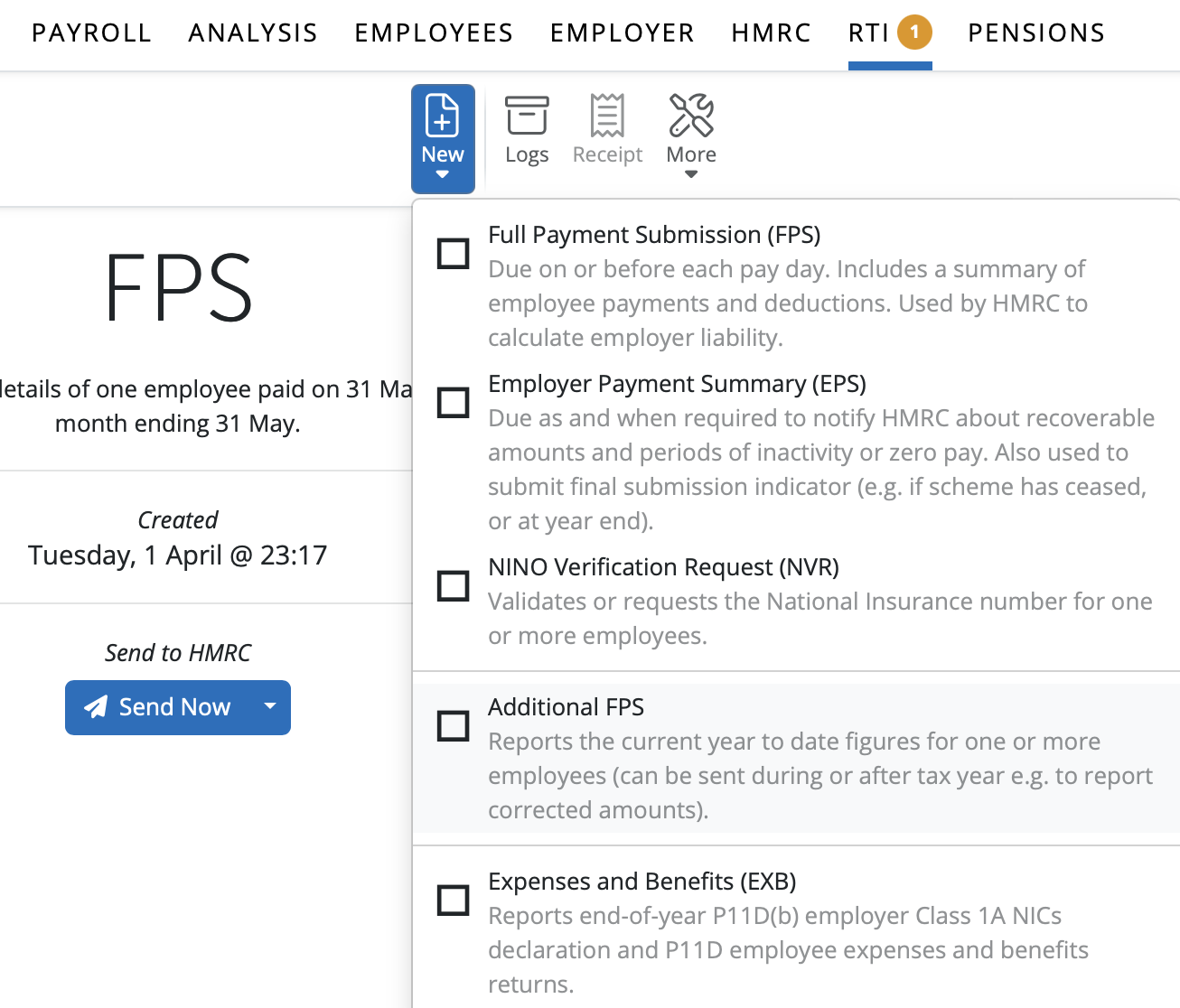
- In the RTI menu, select 'Additional FPS' from the 'New' menu:
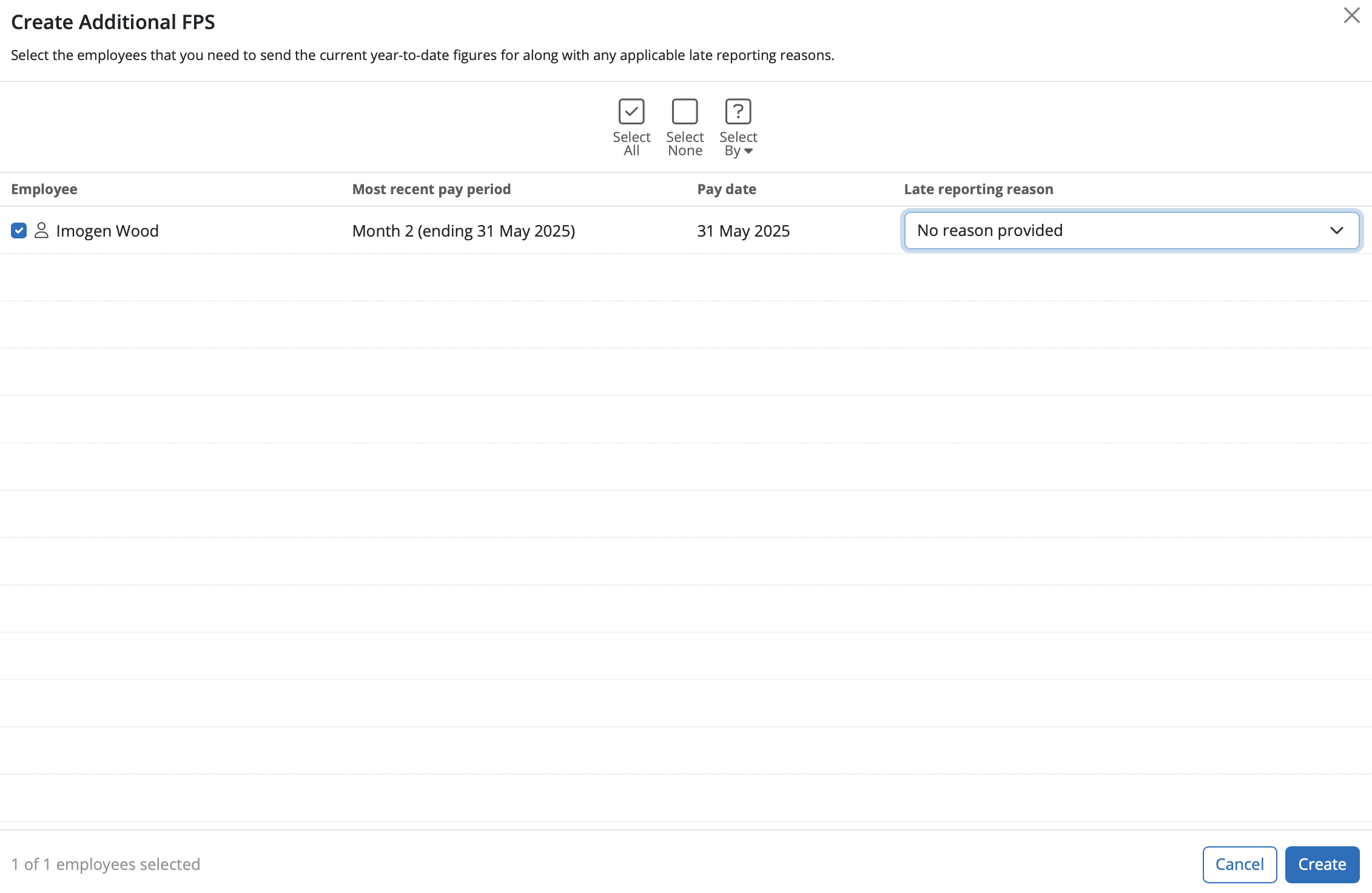
- Select the employee(s) for whom you have made adjustments and select an appropriate late reporting reason from the drop down menu.
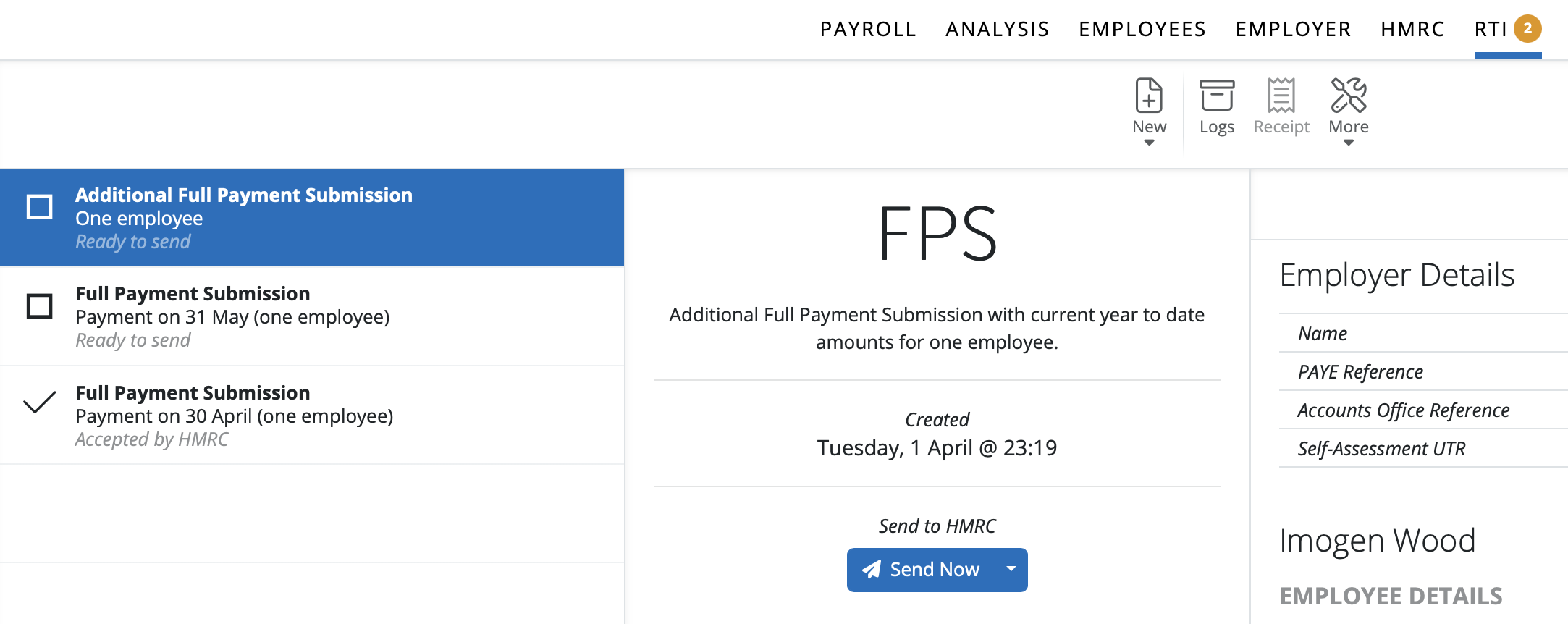
- Submit the Additional FPS to HMRC:
Please note: When submitting an additional FPS correction, the payment date on this submission needs to be the same as the original FPS payment date. If the payment dates do not match, HMRC will see the additional FPS as a new / extra payment made to the employees rather than a correction.
The late reporting reason needs to state 'correction to earlier submission' for HMRC to update the previous FPS with the same payment date. If this late reporting reason is not selected, HMRC will treat this as another FPS submission.
If you are submitting a Full Payment Submission (FPS) late—such as when you were waiting for HMRC credentials—you can select the late reporting reason ‘reasonable excuse’ when making the submission. This informs HMRC that you had a valid reason for submitting after the deadline.
Negative YTD figures will not be accepted by HMRC on any RTI submissions, including FPS, EPS or Additional FPS; a submission may have a negative periodic figure, but never a negative YTD. If you are making corrections for previous submissions, the YTD information on the Additional FPS can only be as low as zero - never a negative YTD amount. HMRC will reject this submission.
If HMRC has requested that you submit a 'year end adjustment' or 'EYU' - this is an Additional FPS on BrightPay. Make any necessary amendments (if required) by reopening the payslips and then finalising them again once correct. Go to the RTI section > New > Additional FPS > ensure all employees who are to be included are ticked, then create and submit.
Comments
0 comments
Article is closed for comments.