If you wish to claim recoverable amounts for statutory payments made to employees, these can first be viewed within your HMRC utility.
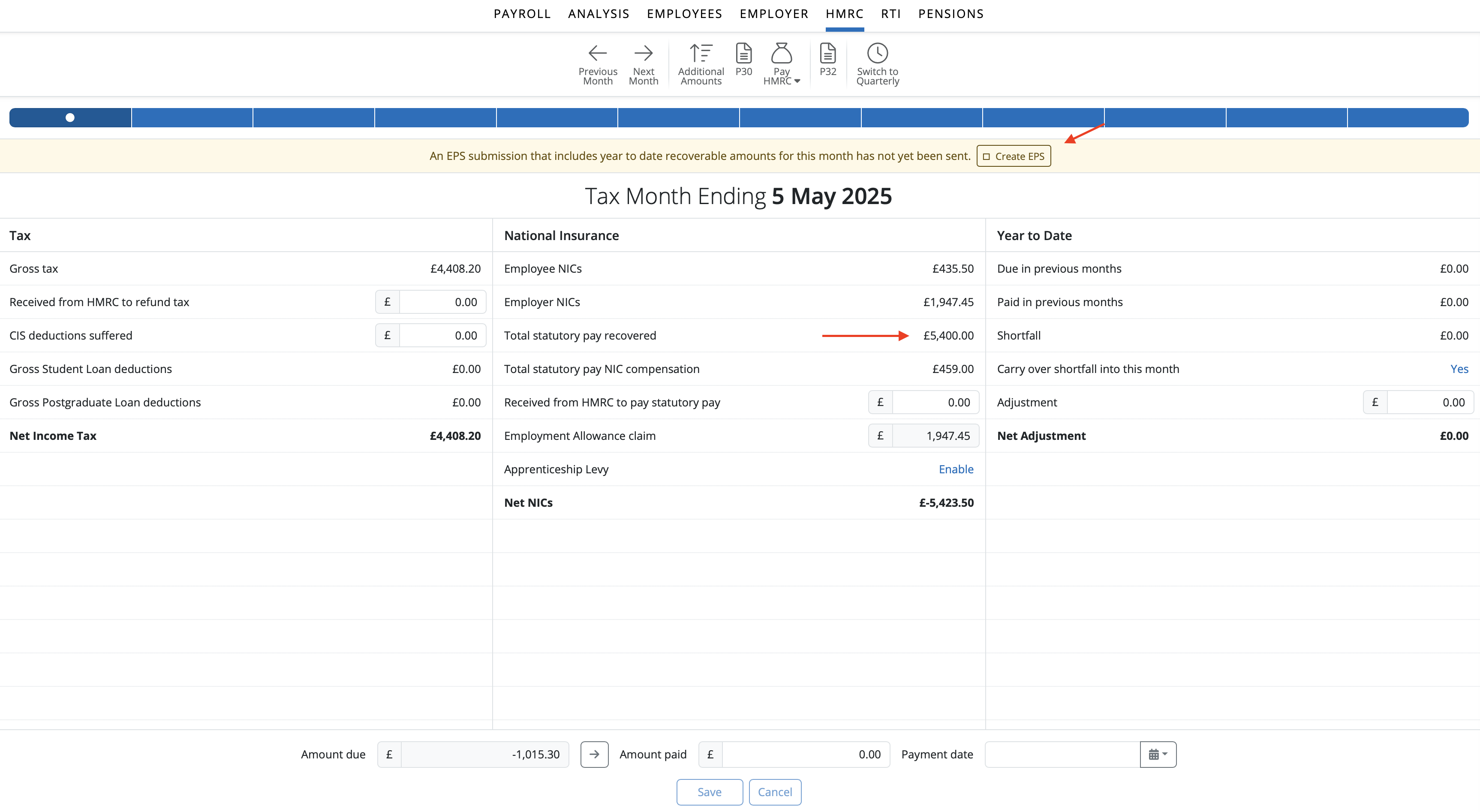
Please note: if you qualify for Small Employers' Relief, please ensure that this is enabled within Employer > PAYE Registration before submitting your EPS:
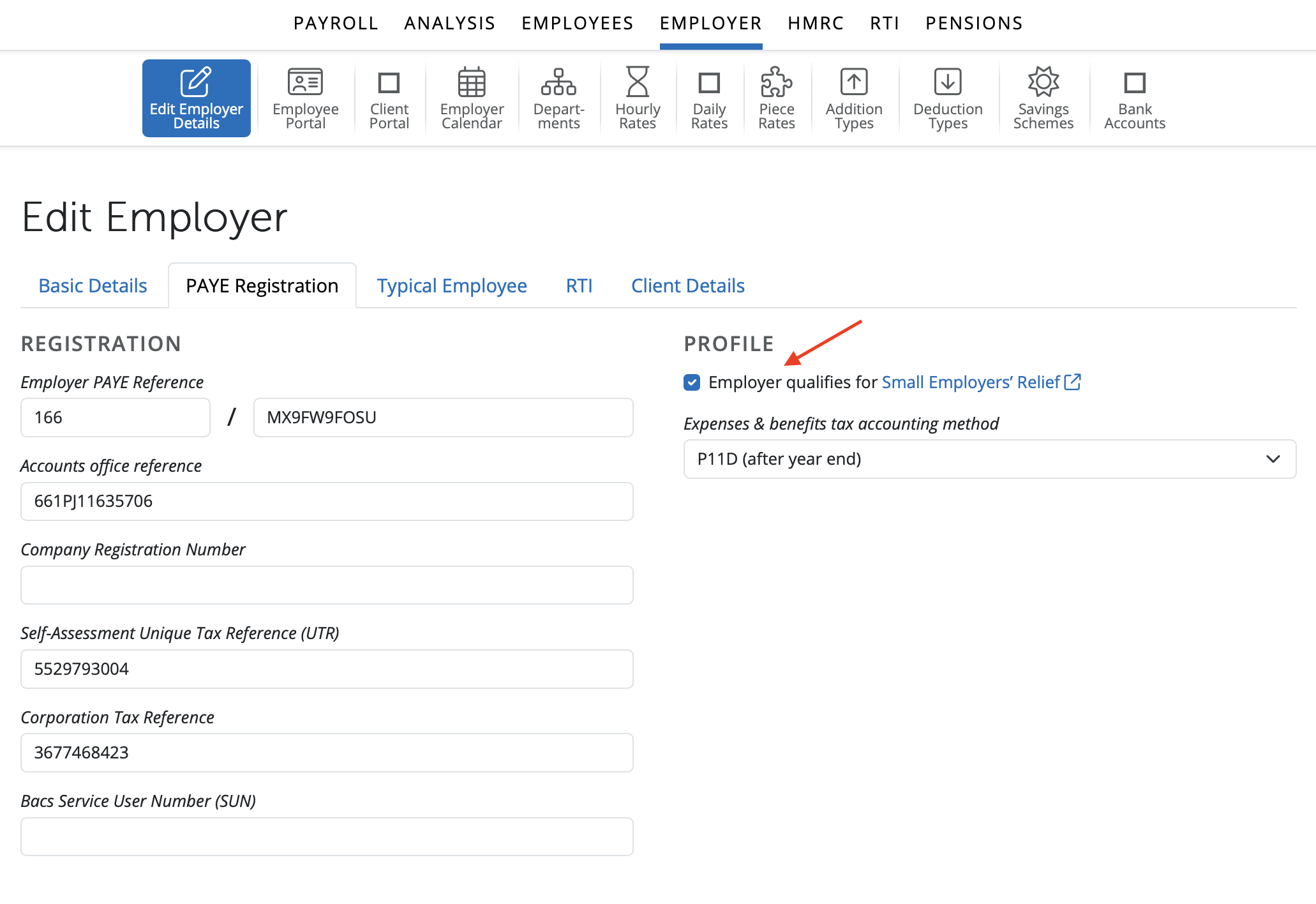
While in HMRC, if recoverable amounts are detected in a tax period, BrightPay will prompt you that an EPS is due:

If you have no further items you wish to report via the EPS, simply click 'Send Now' and submit your EPS to HMRC.
Creating an EPS within the RTI utility
Alternatively, an EPS can be created and submitted to HMRC via the RTI utility. This process will facilitate reporting more than one item on the same EPS, if required e.g including bank details, final submission indicator for the tax year etc.
1) Simply select 'RTI' on the menu bar
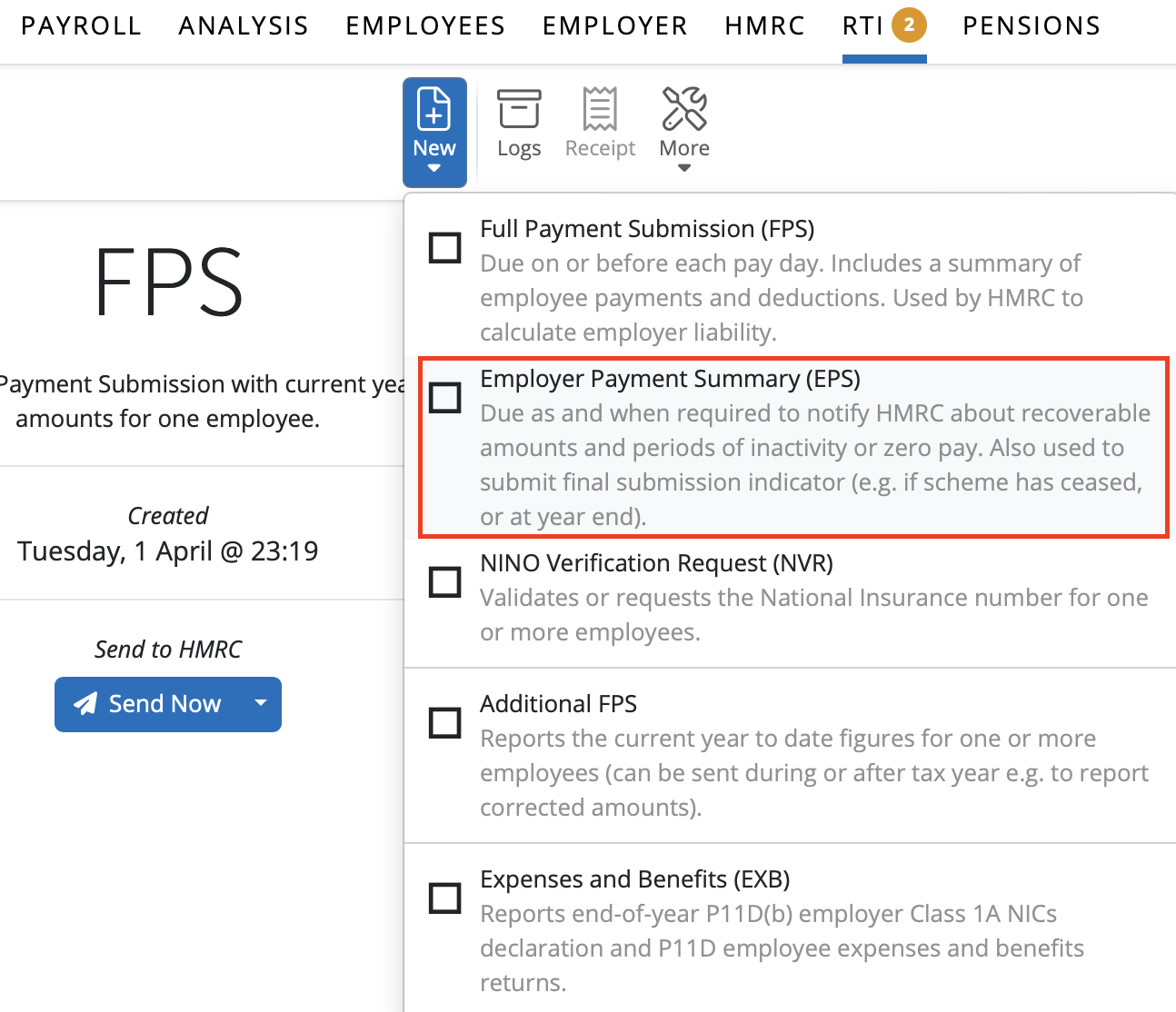
2) Click 'New' on the menu toolbar and select 'Employer Payment Summary (EPS)'
3) Complete the EPS accordingly and click 'OK' to save
4) Submit to HMRC when ready

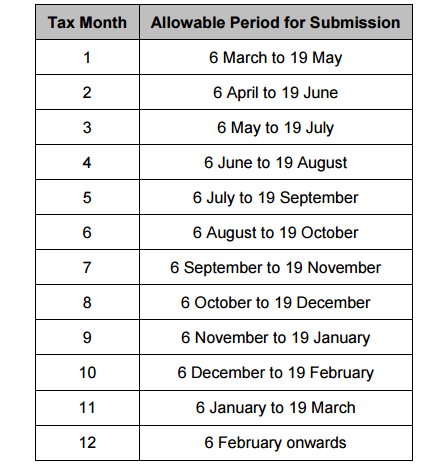
Allowable Period for Submission of an EPS with an Entry in Tax Month:
Note: If you have employee(s) on maternity leave and have paid SMP whilst in the same period have employee(s) on paternity leave and have paid SPP, you can recover both of these on the same EPS.
Process the payslips by finalising the pay periods within the Payroll section. Once all pay periods for the tax month have been finalised, you can then submit an EPS for recoverable amounts to HMRC.
If you miss the EPS filing deadline
1. If you’ve missed the EPS deadline for this month, don’t worry—you should still submit your EPS as soon as possible. HMRC will apply any adjustments to your next tax month instead. For example, if you missed submitting your EPS for month 1 (ending 5th May) and it’s now the 20th of May, simply go to the RTI section, click ‘New’, and select ‘Employer Payment Summary’. Then, create the EPS for month 2.
You’re not limited to just one EPS per month, so if you have more recoverable amounts to report later in the month, you can submit another EPS to keep HMRC updated. This helps ensure your records are accurate and up to date.
2. After submitting the late EPS, monitor your HMRC PAYE account to ensure the adjustments are reflected.
3. Contact HMRC if needed: If you have concerns about penalties or how the missed EPS affects your PAYE payments, you may wish to contact HMRC directly for advice.
Important Notes
- Submitting the EPS late does not mean you lose the ability to recover statutory payments or other adjustments; it just means the adjustment will be delayed - possibly to the next tax month.
- Always try to submit your EPS by the 19th of the following tax month in the future to ensure timely adjustments to your PAYE bill.
To add (or correct) recoverable amounts for the EPS, corrections / amendments should be made in the payroll section by re-opening the employee's payslip to correct & re-finalising. To make adjustments outside of payroll (for example when recoverable amounts were claimed before processing payroll on BrightPay) you can use the 'Additional Amounts' field in the HMRC section.
For 4-weekly payrolls where 2 pay periods fall into a particular tax month, it is recommended to wait until both pay periods have been processed before submitting that months' EPS for recoverable amounts.

Comments
0 comments
Article is closed for comments.