
If you wish to claim recoverable amounts for CIS deductions suffered, these must first be entered within your HMRC utility.
1) Select the applicable tax period on the blue schedule bar and enter the periodic amount in the CIS deductions suffered field
While in HMRC, if CIS recoverable amounts are detected in a tax period, BrightPay will prompt you that an EPS is due:

You will need to manually create the Employer Payment Summary to submit to HMRC in the RTI section under > New. Once created simply click 'Send Now' and submit your EPS to HMRC.
Important Note regarding the EPS
From April 2022, when submitting CIS deductions suffered to HMRC, it will be a requirement to include your Corporation Tax (CT) UTR on the EPS.
Your Corporation Tax UTR can be entered Employer > Edit Employer Details > Registration Details
Once entered, BrightPay will automatically include this on the EPS and your EPS will submit with no issues.
Creating an EPS within the RTI utility
Alternatively, an EPS can be created and submitted to HMRC via the RTI utility. This process will facilitate reporting more than one item on the same EPS, if required e.g including bank details, final submission indicator for the tax year etc.
1) Simply select 'RTI' on the menu bar
2) Click 'New' on the menu toolbar and select 'Employer Payment Summary (EPS)'
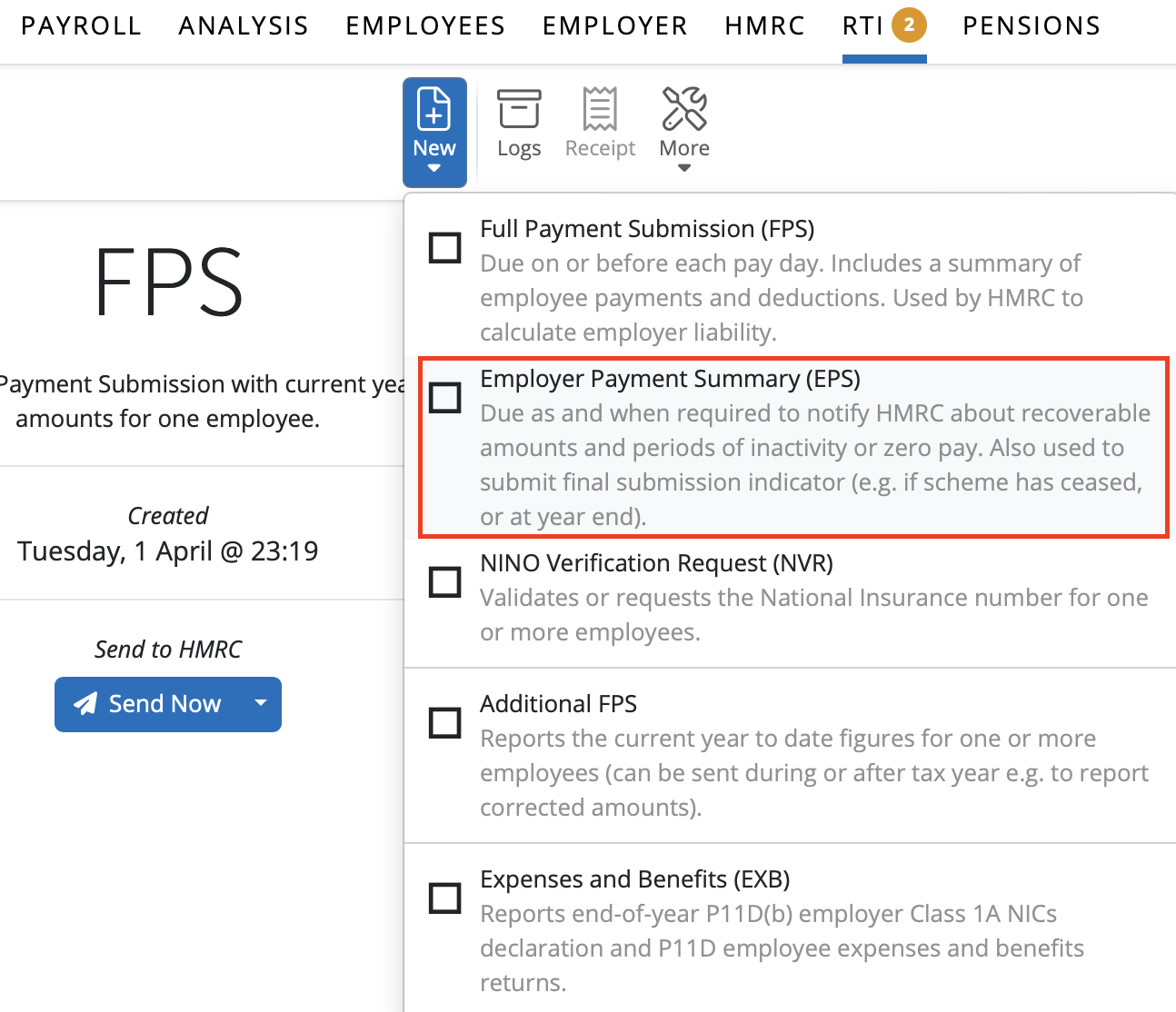
3) Complete the EPS accordingly and click 'OK' to save
4) Submit to HMRC when ready

Allowable Period for Submission of an EPS with an Entry in Tax Month:

Note: Only CIS suffered (deductions taken from your own income as a subcontractor by other contractors) is reported on the Employer Payment Summary (EPS) in BrightPay.
CIS deductions made from subcontractors (suppliers you pay and deduct CIS from) should NOT be included on an EPS. These are reported to HMRC separately via the CIS300 return in BrightCIS.
Comments
0 comments
Article is closed for comments.