
If you won’t be paying any employees in the future for a minimum period of one tax month, and a maximum of 12 months, this must be reported to HMRC using the Period of Inactivity declaration on the EPS.
To inform HMRC in advance of a period of inactivity:
1) Select 'RTI' on the menu bar.
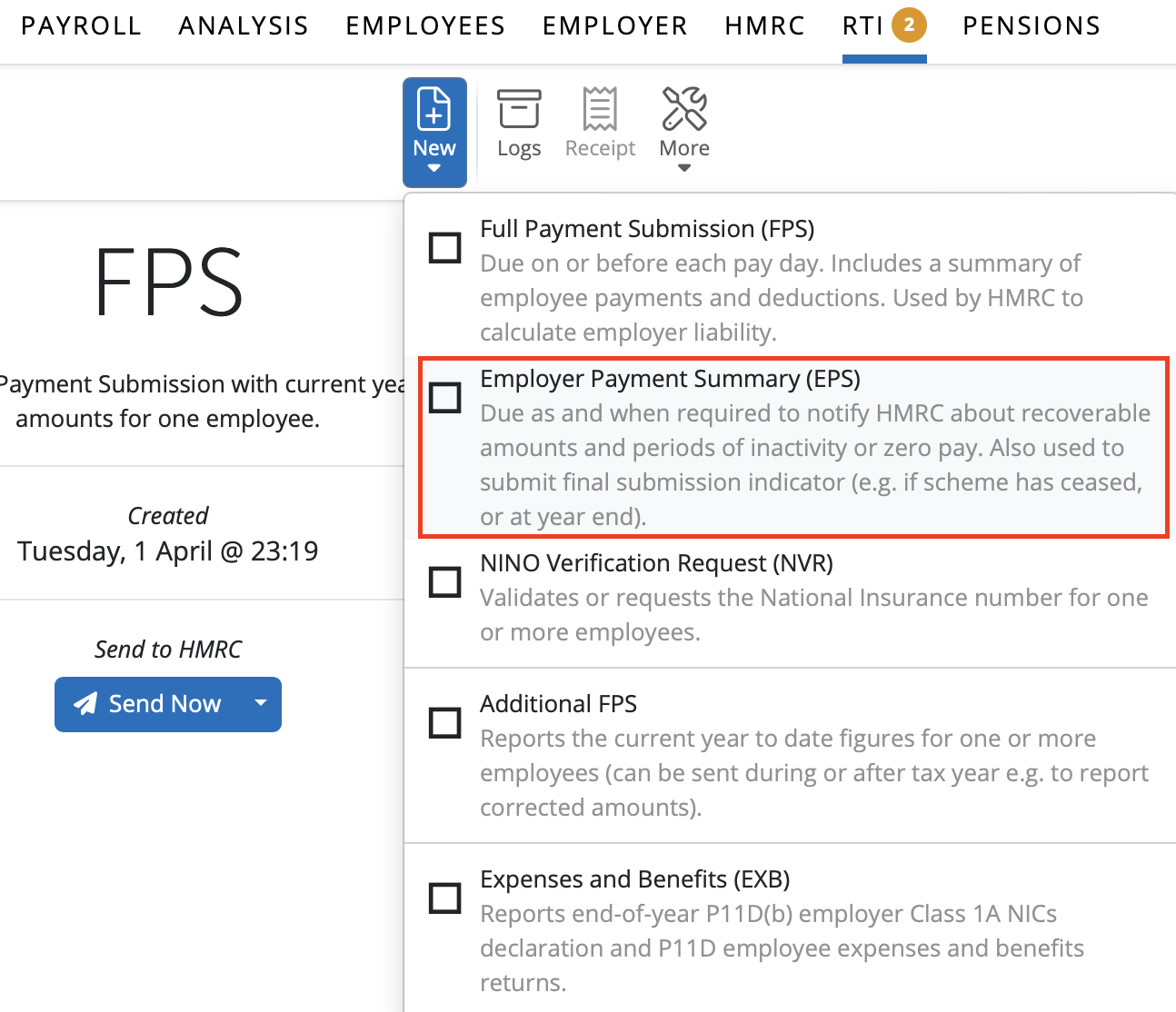
2) Click 'New' on the menu toolbar and select 'Employer Payment Summary (EPS)':
3) Tick the 'Include period of Inactivity declaration' marker
4) Enter the start date of the first tax month of your period of inactivity. This must be a period in the future and must be the 6th of the month
5) Enter the end date of the period of inactivity. This again must be a date in the future and must be the 5th of the relevant month
Example: if you know in July that you will have no paid employees or directors between 6 August and 5 October , this will be entered as follows on the EPS:
6) Click 'OK' and submit to HMRC when ready.
Please note: the 'period of inactivity' utility can only be used to report future periods of inactivity in advance to HMRC. To report no payment for the current or previous tax period, the 'no payment for period' option must be completed instead on the EPS.
Comments
0 comments
Article is closed for comments.