
It is possible to include details of the bank you want HMRC to pay into if you are due a refund, on the Employer Payment Summary (EPS).
To do this, you must first enter the relevant bank account details within the Employer utility.
1) Click 'Bank Accounts' on the menu toolbar, followed by 'New'
2) Enter your bank account details, as required
Once you have entered the relevant bank details, an EPS can be prepared:
1) Select 'RTI' on the menu bar
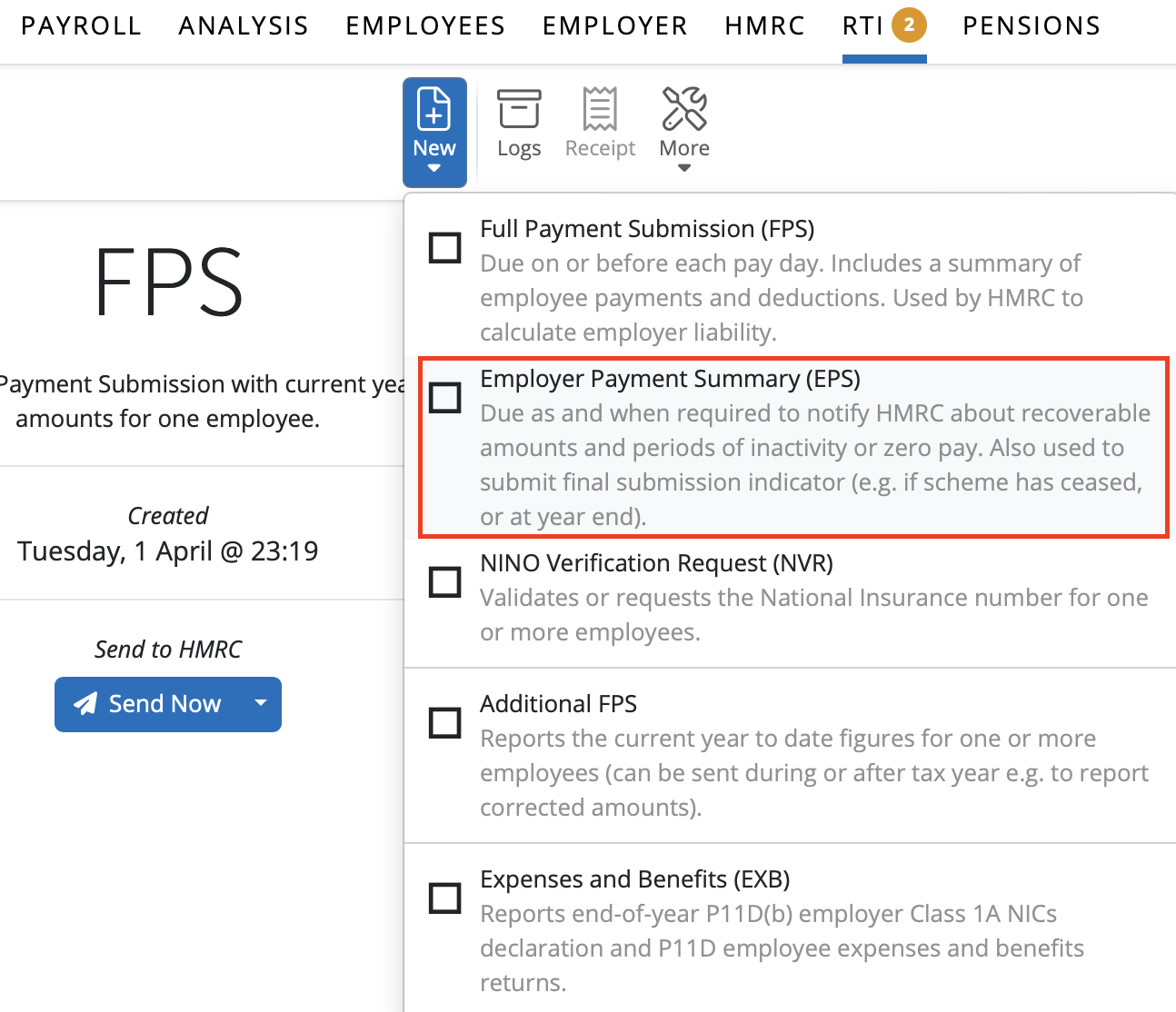
2) Click 'New' on the menu toolbar and select 'Employer Payment Summary (EPS)':
3) Tick the 'Bank Account' marker
4) Select the relevant bank account from the drop down menu

5) Click 'OK' and submit to HMRC when ready
Please note: Informing HMRC of the employer bank details will not result in any overpayment by HMRC to you being processed. You will need to inform HMRC of any corrections using either an additional FPS correction to earlier submission or if you have over claimed on a statutory recoverable amount or CIS suffered, you can use an EPS to inform HMRC.
And additional FPS can be submitted for any period with corrections, but an EPS can only be submitted for the latest tax month. An EPS informs HMRC of YTD information so any amendments made further on in the tax year, will be captured on the latest EPS when submitted to HMRC.
HMRC will not automatically issue a refund if the PAYE account is in credit. They will write to you to inform you the PAYE account is in credit if it remains that way for a number of tax months.
For any queries regarding credits on your PAYE account or refunds due, please contact HMRC directly for further advice.
Comments
0 comments
Article is closed for comments.