
If you are closing your PAYE scheme, you’ll need to let HMRC know by submitting an Employer Payment Summary (EPS).
Before doing this, make sure you’ve processed all final payments to your employees and sent your last Full Payment Submission (FPS), including their leave dates. Once that’s done, you can move on to the final steps to close your PAYE scheme.
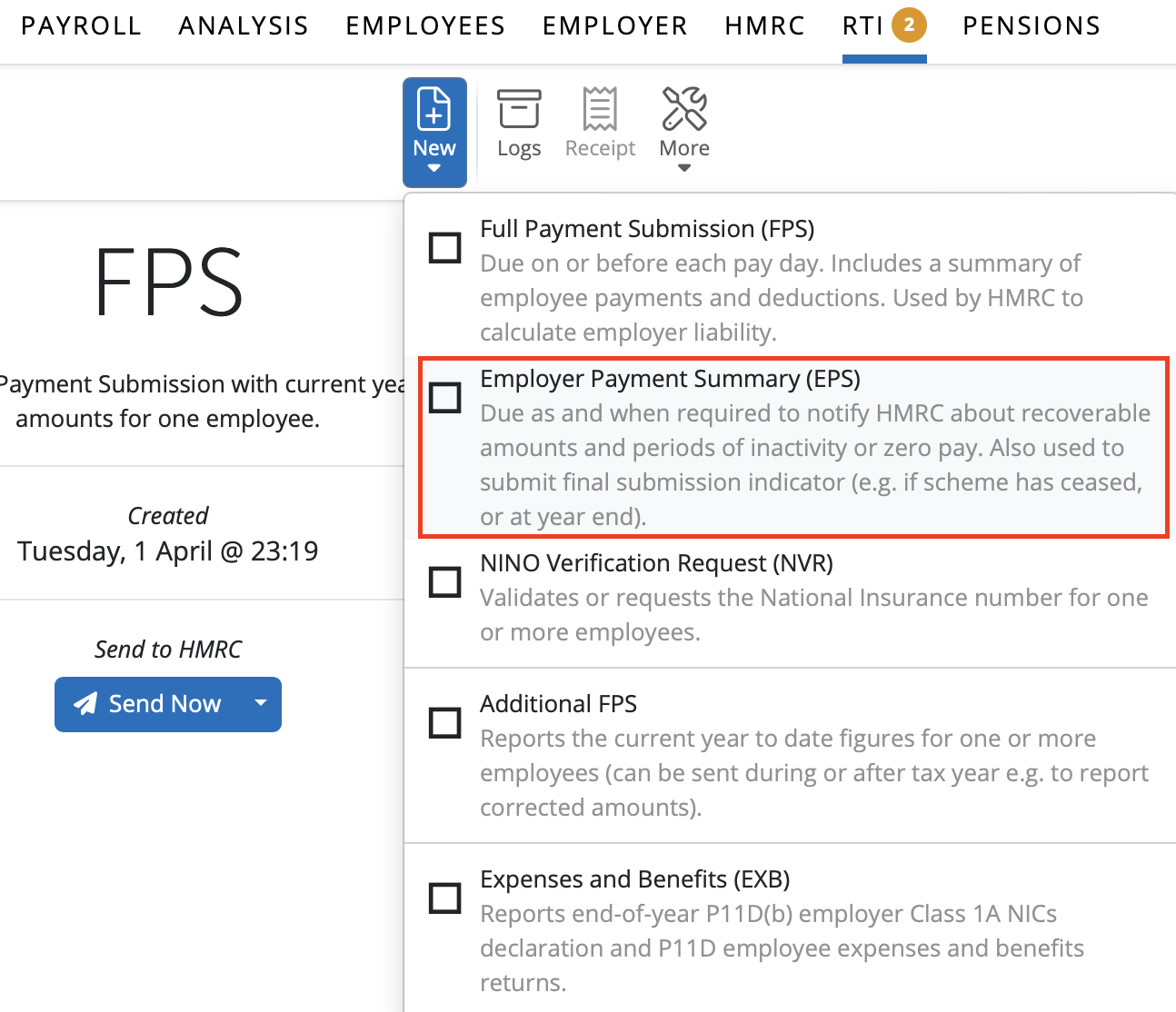
1) Select 'RTI' on the menu bar
2) Click 'New' on the menu toolbar and select 'Employer Payment Summary (EPS)':
3) Tick the 'Final submission' marker
4) Tick the 'Scheme ceased' marker
5) Enter the date the scheme has ceased
6) Click 'Create' and submit to HMRC when ready
Any billing queries regarding a ceased employer on BrightPay Cloud, please contact Payment Services on billing@brightsg.com or call 0345 9390019 and choose the option for Payment Services.
Comments
0 comments
Article is closed for comments.