
BrightPay facilitates the option for multiple payslips for an individual employee to be emailed or downloaded. Within Employees > Select an employee > Payslips > click the option you require - Email or Download PDF Payslip for the selected employee.
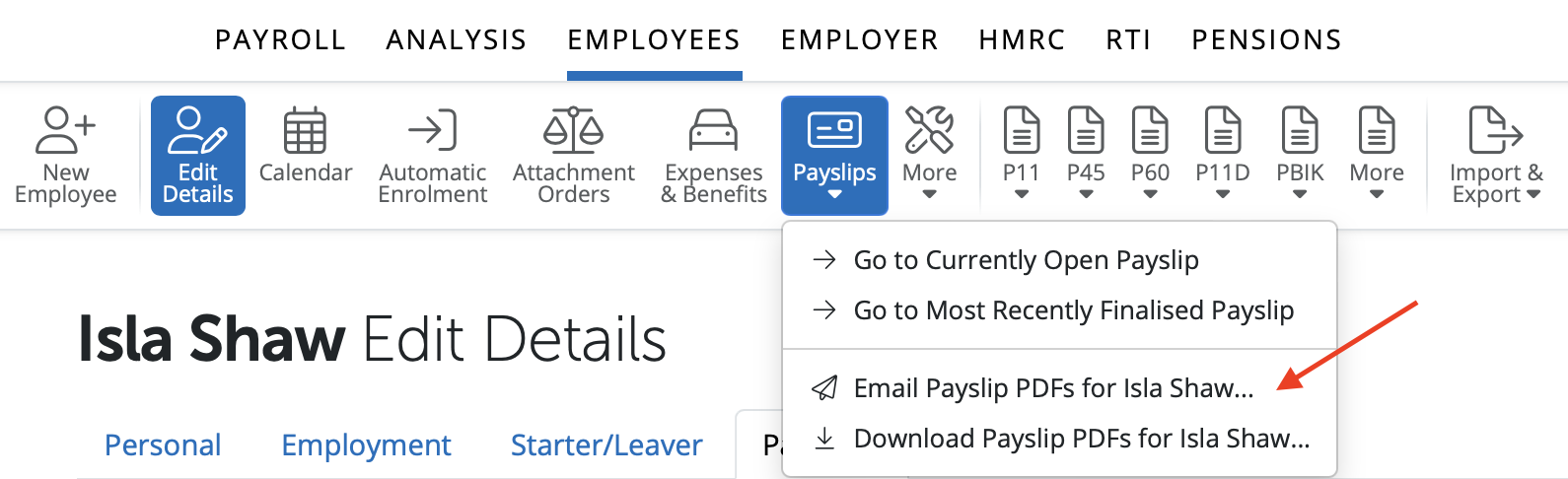
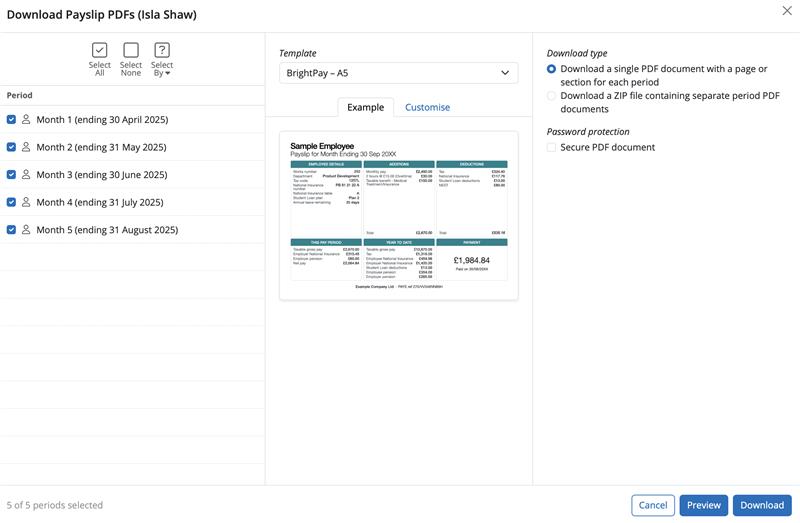
This facility allows you to select the pay periods you wish for the payslips for the individual employee to be downloaded or emailed.
Select or deselect the desired pay periods on the left, and the download type on the right, click on Download to download the pdf file that contains all the payslips for the periods selected.
If payslips are emailed to an employee the date and time of when they were emailed will automatically populate showing as 'Last Emailed'.
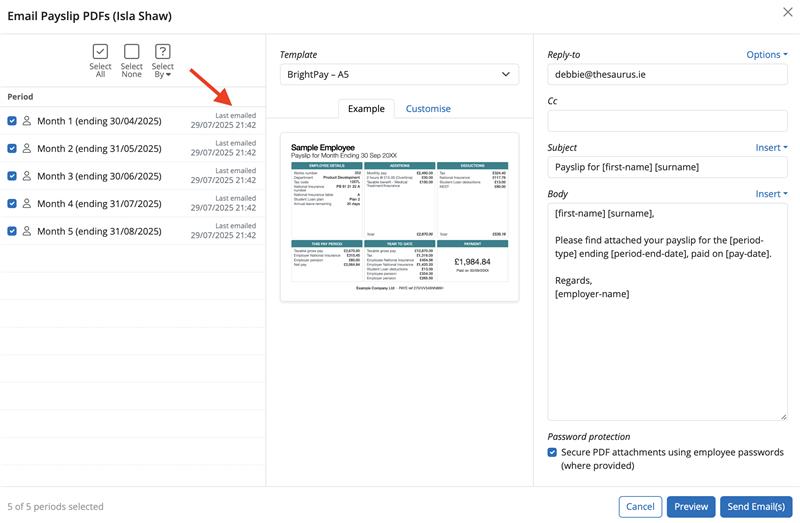
Payslips can be emailed or downloaded again at any time.
Please note: To change the payslip file name when downloading, your browser must be set to ask you the location and file name for the download.
Comments
0 comments
Article is closed for comments.