
Understanding auto-enrolment status — 'opted in' vs 'auto-enrolled'
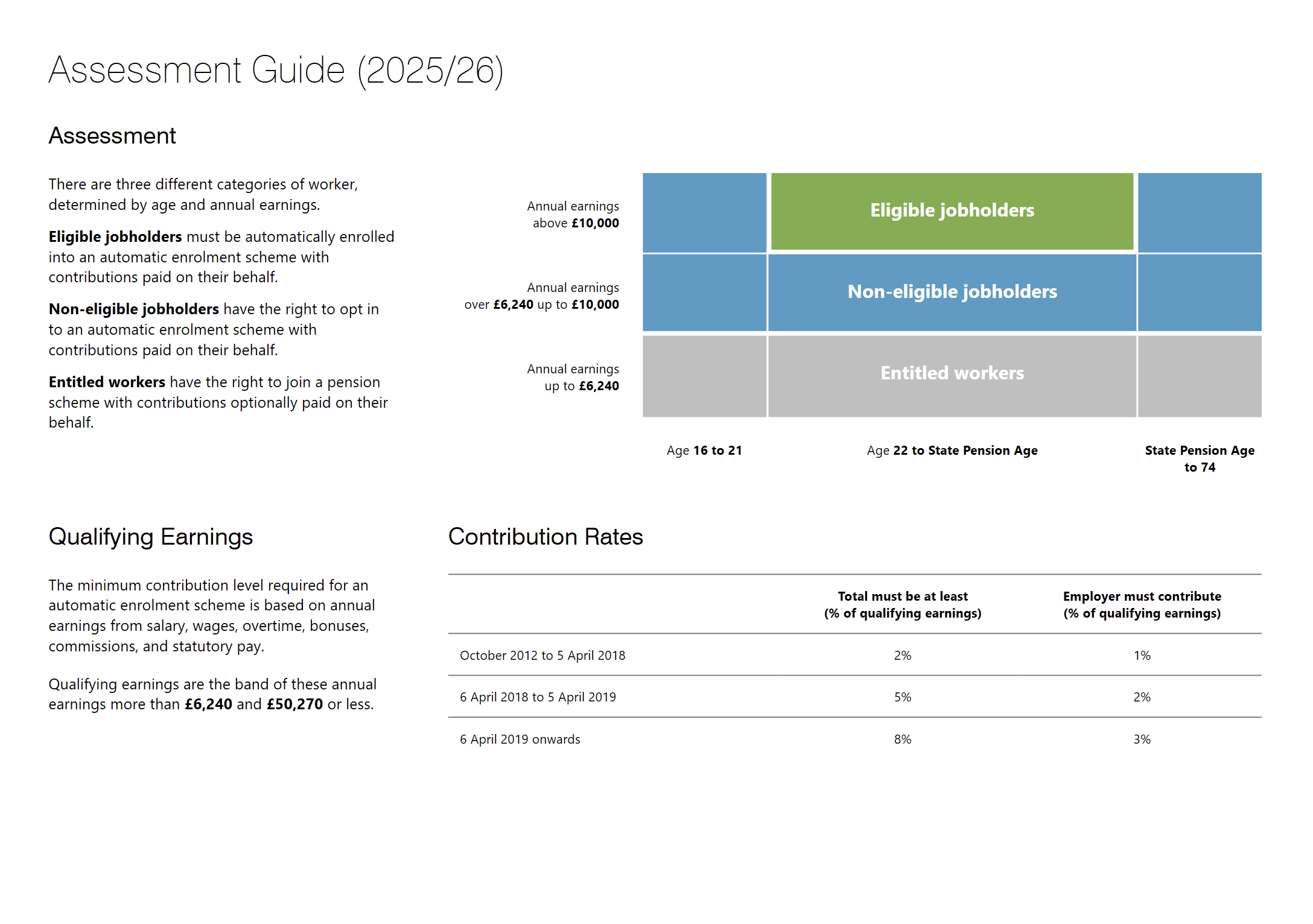
BrightPay automatically assesses each worker's auto-enrolment status based on their age and earnings. The options available in BrightPay reflect the result of this assessment and cannot be manually overridden — so if you are seeing an 'opt in' option rather than 'enrol in a qualifying scheme', this is not an error.
There are two distinct categories:
- Eligible workers — meet the age and earnings criteria for mandatory auto-enrolment. BrightPay will present the option to 'Enrol in a qualifying scheme'. Eligible workers must be enrolled (though enrolment can be postponed for a maximum of 3 months). The employee may then choose to opt out after being enrolled.
- Non-eligible workers — do not meet the age and/or earnings criteria for mandatory auto-enrolment. BrightPay will present the 'Opt in' option. Non-eligible workers must be provided with a right to opt in letter, and it is then the employee's choice whether to join the pension scheme or not.
If you believe a worker has been incorrectly assessed, check that their date of birth and earnings are entered correctly in BrightPay — the assessment is based entirely on these two factors. Correcting either will trigger a reassessment and update the available options accordingly.
Note: Automatic enrolment can also be shortened and referred to as 'AE'. If you see 'AE status' for example, it is referring to an employee's automatic-enrolled pension status.
Comments
0 comments
Article is closed for comments.