
At the end of the tax year, a final Employer Payment Summary (EPS) submission will be required in addition to your final FPS for the year, to inform HMRC that you have completed your final submission for the year.
1) Select 'RTI' on the menu bar
2) Click 'New' on the menu toolbar and select 'Employer Payment Summary (EPS)':
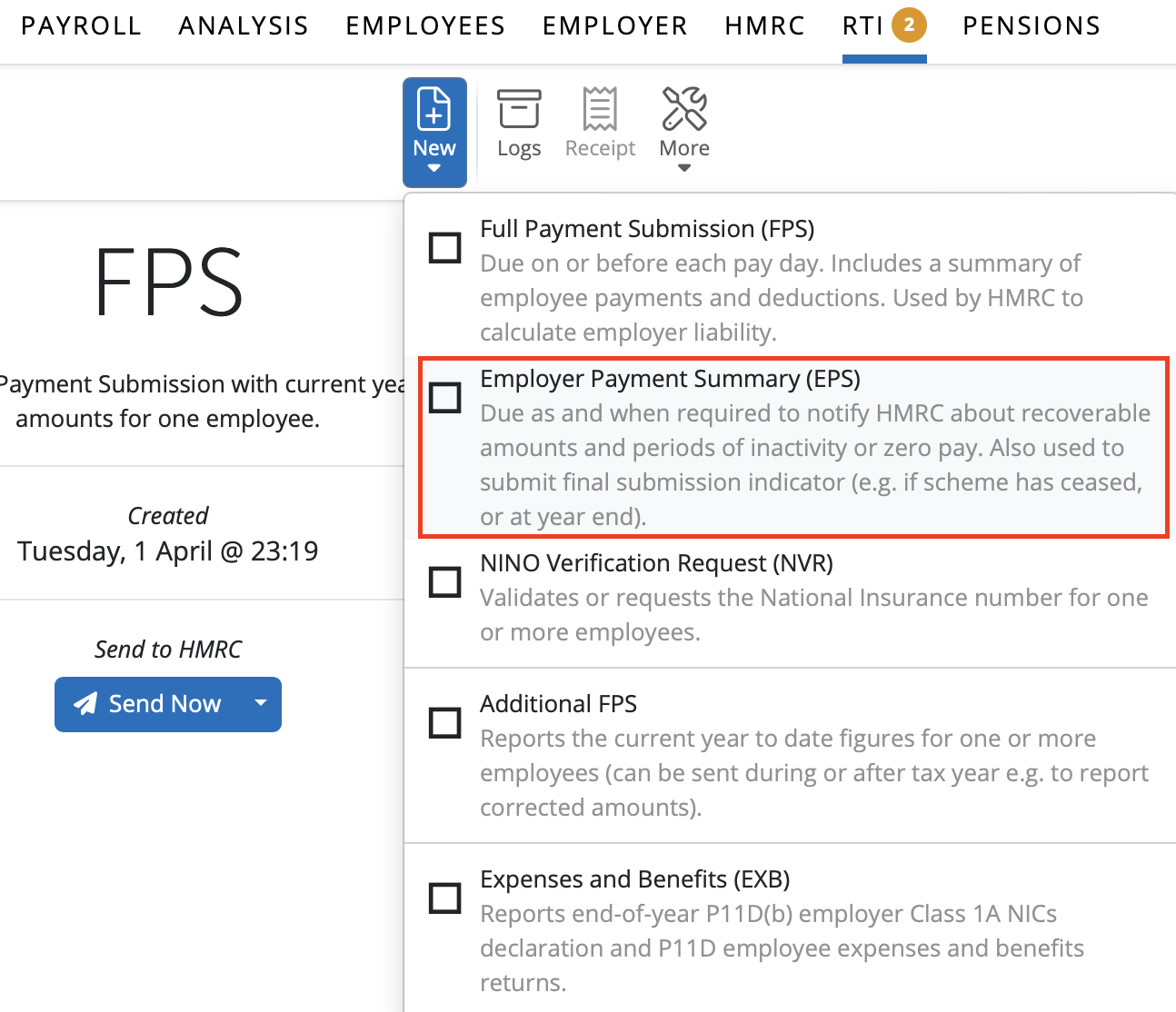
3) Tick the 'Final Submission' marker
4) Click 'OK' and submit to HMRC when ready.
Please note: since 6th March 2015, employers are no longer required to answer additional end-of-year questions on their EPS submission.
Recently moved from another Payroll software?
Some payroll software lets you mark your last FPS as the ‘final submission for the tax year’. In BrightPay, there isn’t a ‘final FPS’ option. Instead, you notify HMRC by submitting an EPS and ticking the ‘Final Submission’ checkbox on that EPS.”
HMRC guidance also confirms that if your software doesn’t support marking the final FPS, you should use an EPS for your final year-end report instead.
Comments
0 comments
Article is closed for comments.