
When you have employee(s) on maternity leave and have paid SMP whilst in the same period have employee(s) on paternity leave and have paid SPP, you can recover both of these on the same EPS.
Process the payslips by finalising the pay periods within the Payroll section. Once all pay periods for the tax month have been finalised, you can then submit an EPS for recoverable amounts to HMRC.
Recovering Statutory Payments
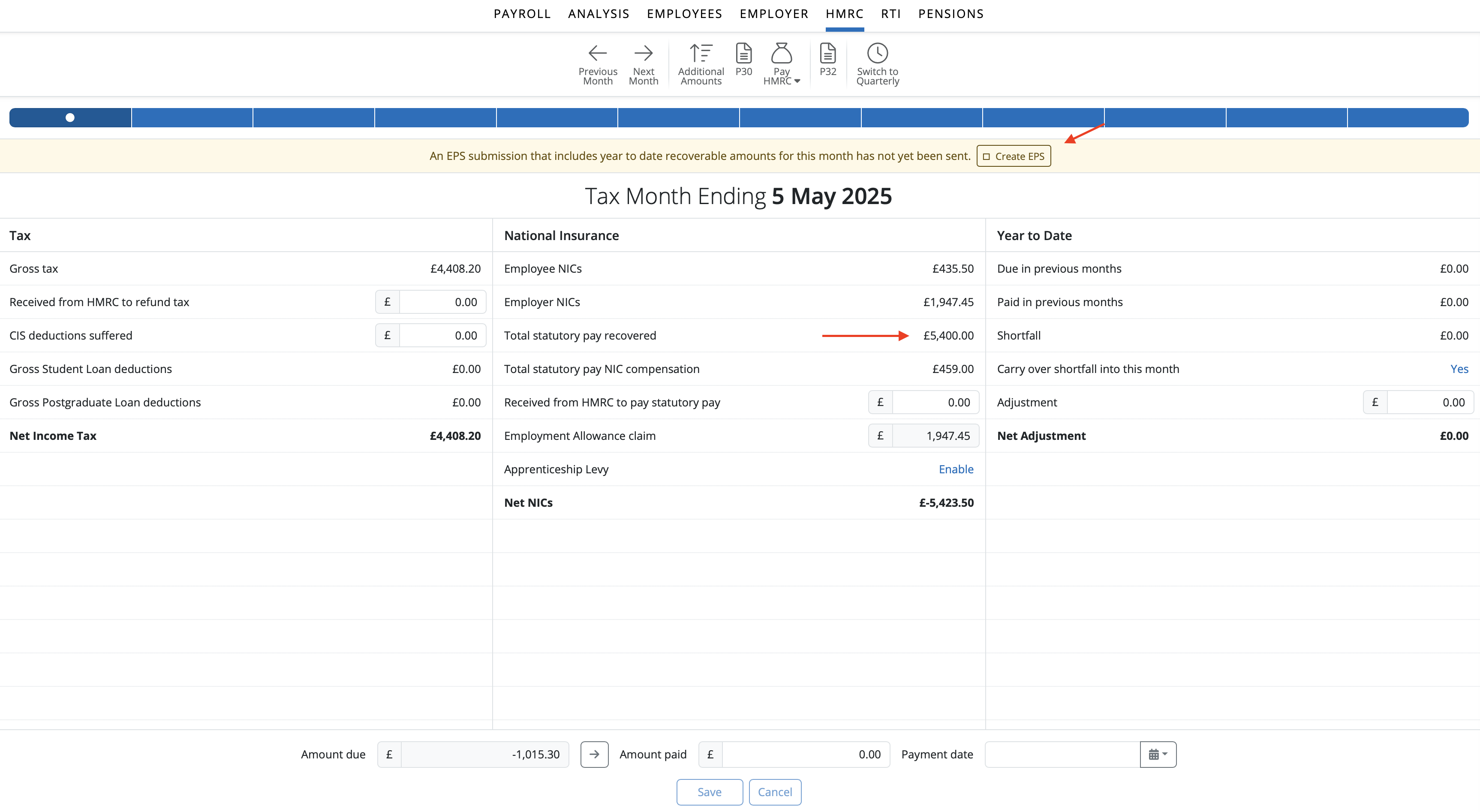
If you wish to claim recoverable amounts for statutory payments made to employees, these can first be viewed within your HMRC utility.
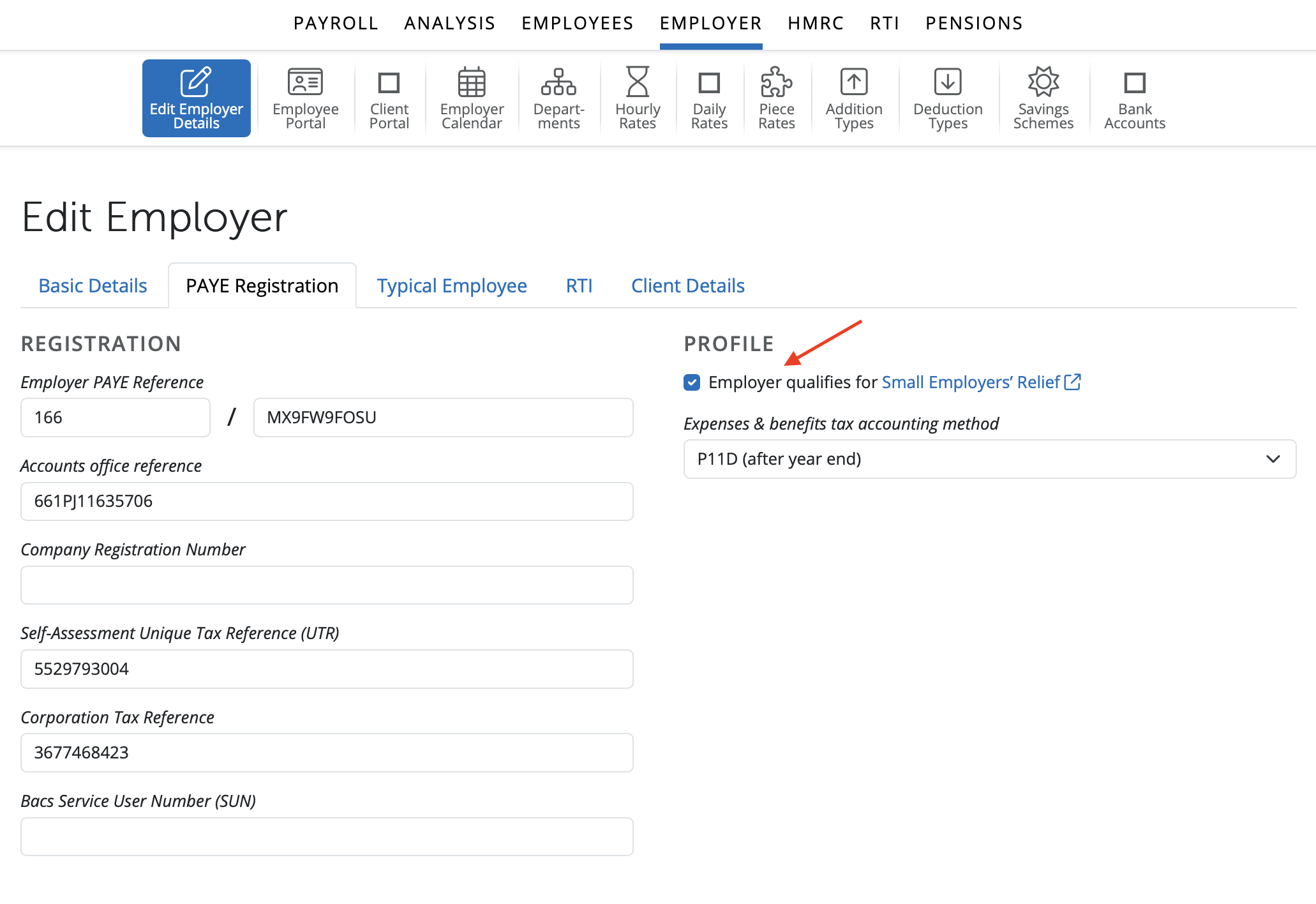
Please note: if you qualify for Small Employers' Relief, please ensure that this is enabled within Employer > PAYE Registration before submitting your EPS:
While in HMRC, if recoverable amounts are detected in a tax period, BrightPay will prompt you that an EPS is due:

If you have no further items you wish to report via the EPS, simply click 'Send Now' and submit your EPS to HMRC.
Creating an EPS within the RTI utility
Alternatively, an EPS can be created and submitted to HMRC via the RTI utility. This process will facilitate reporting more than one item on the same EPS, if required e.g including bank details, final submission indicator for the tax year etc.
1) Simply select 'RTI' on the menu bar
2) Click 'New' on the menu toolbar and select 'Employer Payment Summary (EPS)'
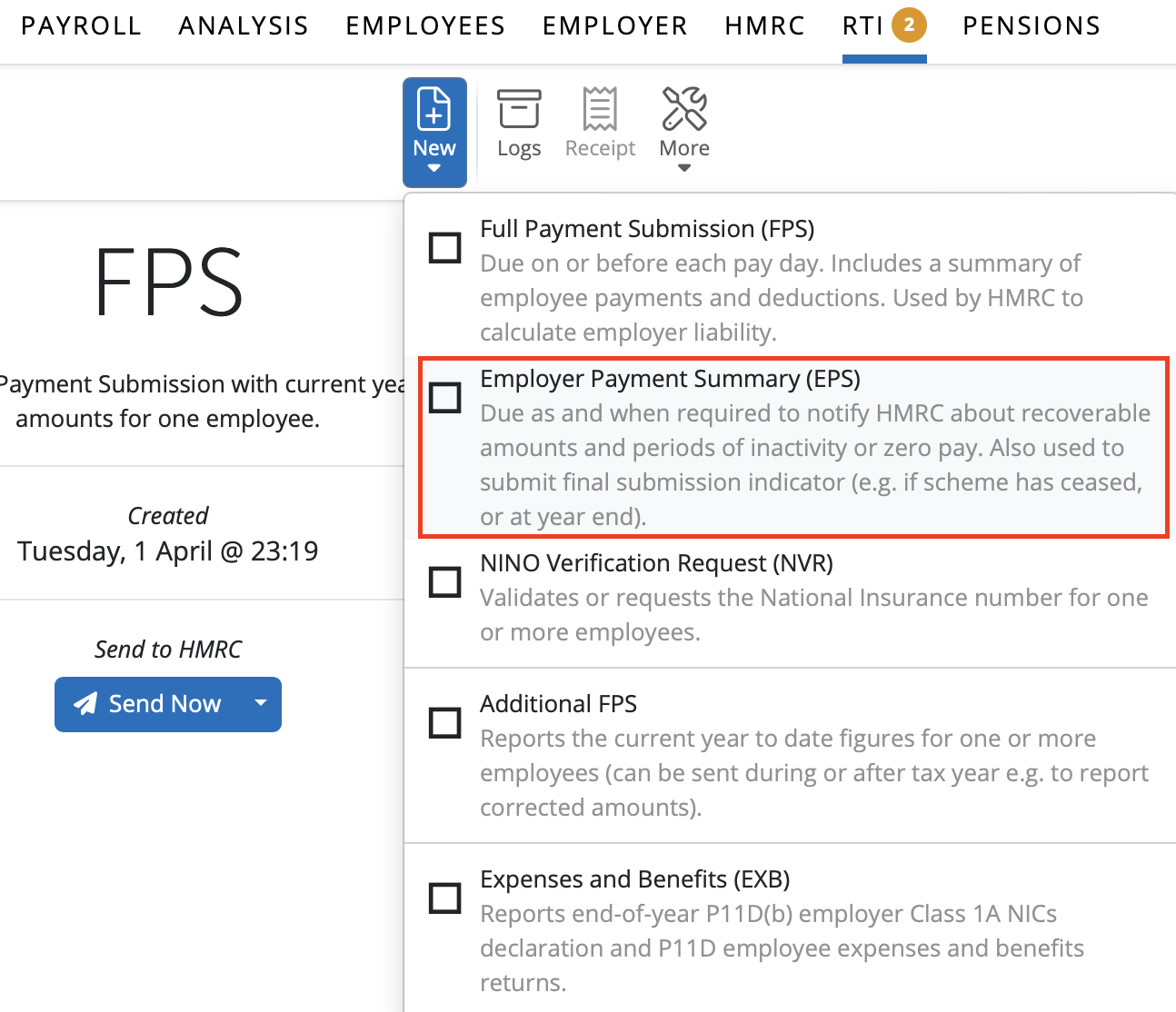
3) Complete the EPS accordingly and click 'OK' to save
4) Submit to HMRC when ready

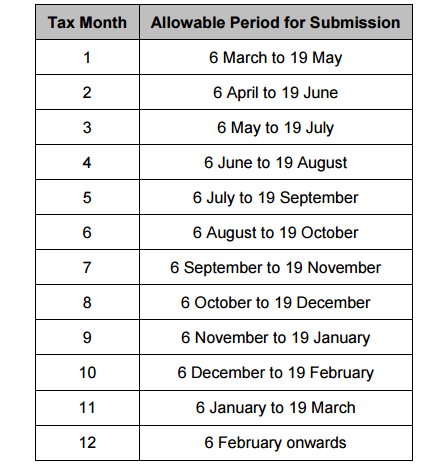
Allowable Period for Submission of an EPS with an Entry in Tax Month:
Q. Does BrightPay automatically apply Small Employers' Relief to SMP?
A. If the 'employer qualifies for small employer's relief' field is enabled, then BrightPay will automatically calculate the NIC compensation and apply this to the EPS when recoverable amounts are being claimed. This field needs to be enabled for BrightPay to add the correct NIC comp to the EPS, or it will process it at the 92% recoverable amount.
Comments
0 comments
Article is closed for comments.