
Should you wish to batch auto-zeroise employee payslips in a particular pay period, this facility is available within BrightPay.
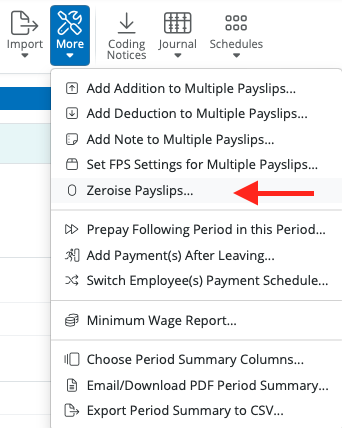
- Within Payroll, click More on the menu toolbar, followed by Zeroise Payslips...
- Select the employees for whom you wish to zeroise their payslips
- Select the pay items you wish to zeroise
- For each pay item selected, choose whether you wish to keep the pay item on the payslip and just zeroise the amount or whether you would like to remove the pay item completely from the selected employees' payslips.
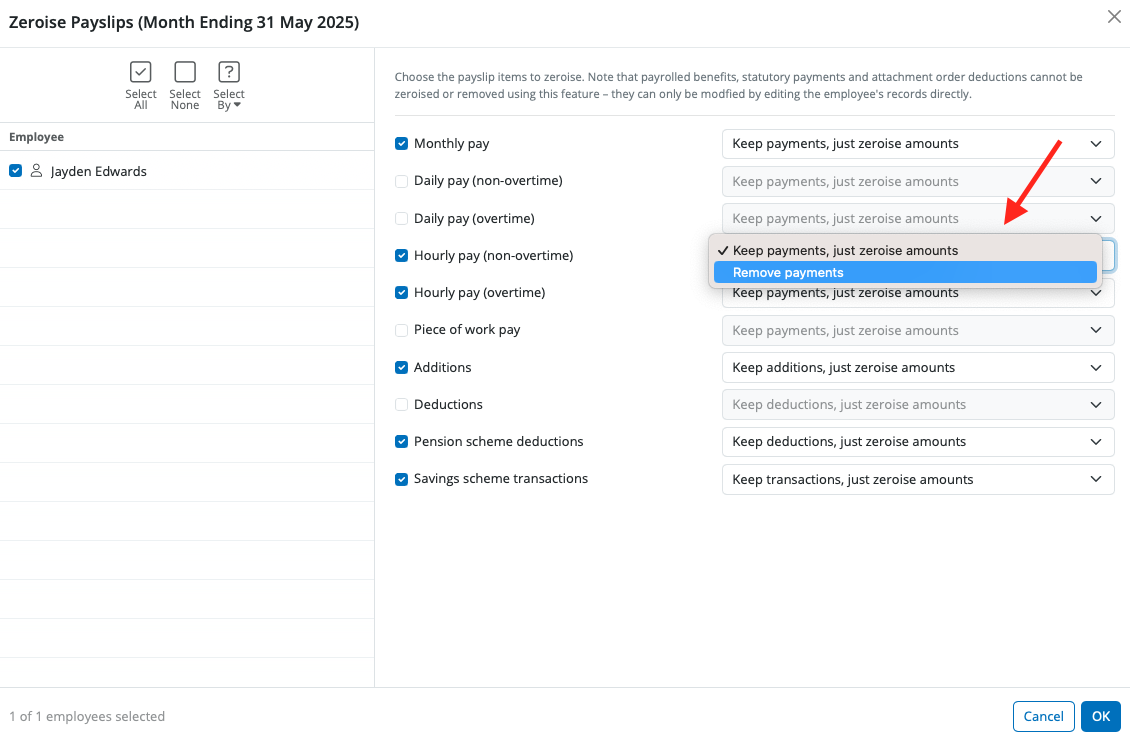
- Click OK to complete the action
Please note: statutory pay can only be removed using the employee calendar. Attachment Orders and student loan deductions can only be removed by editing the dates in the employee's record.
Comments
0 comments
Article is closed for comments.