
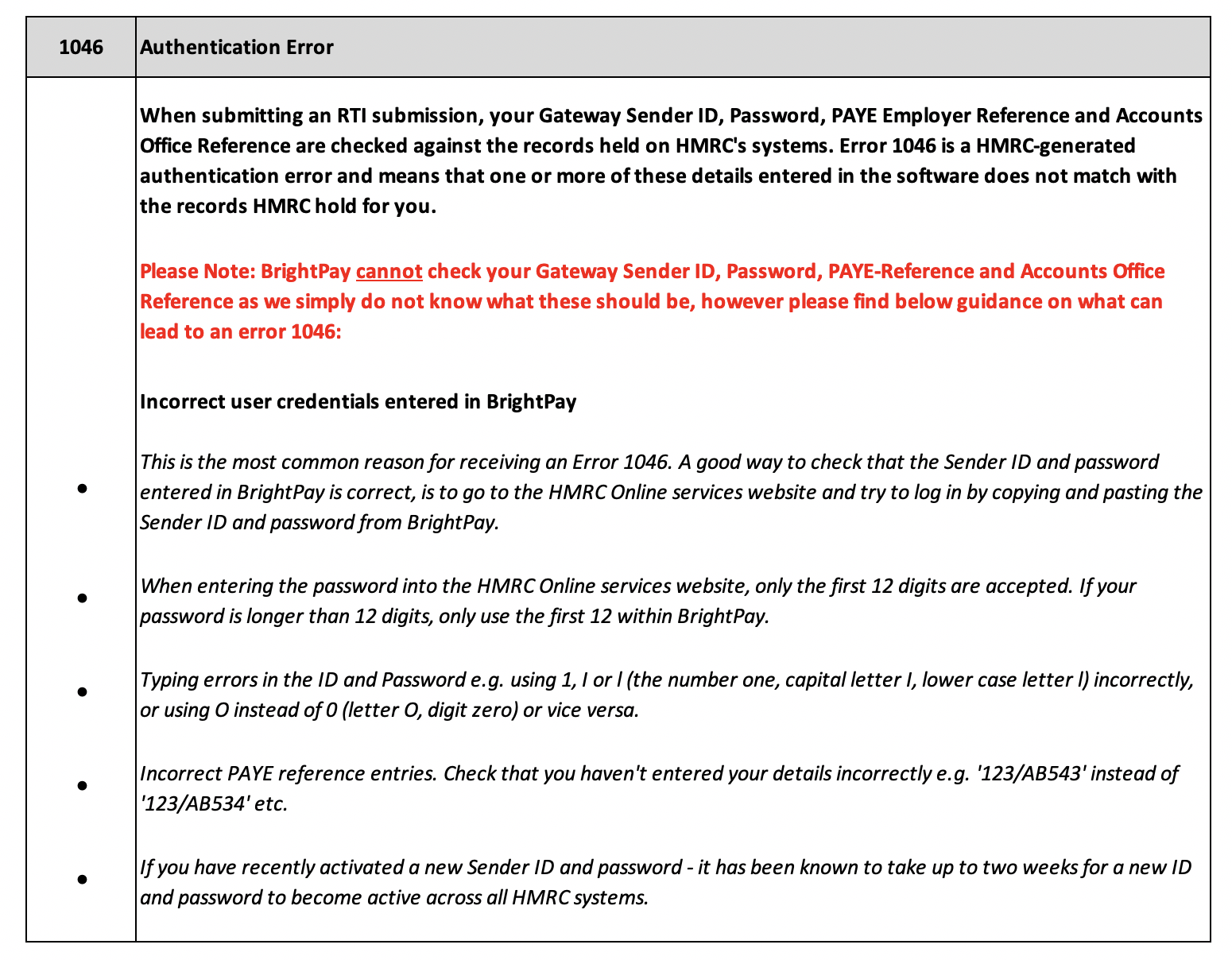
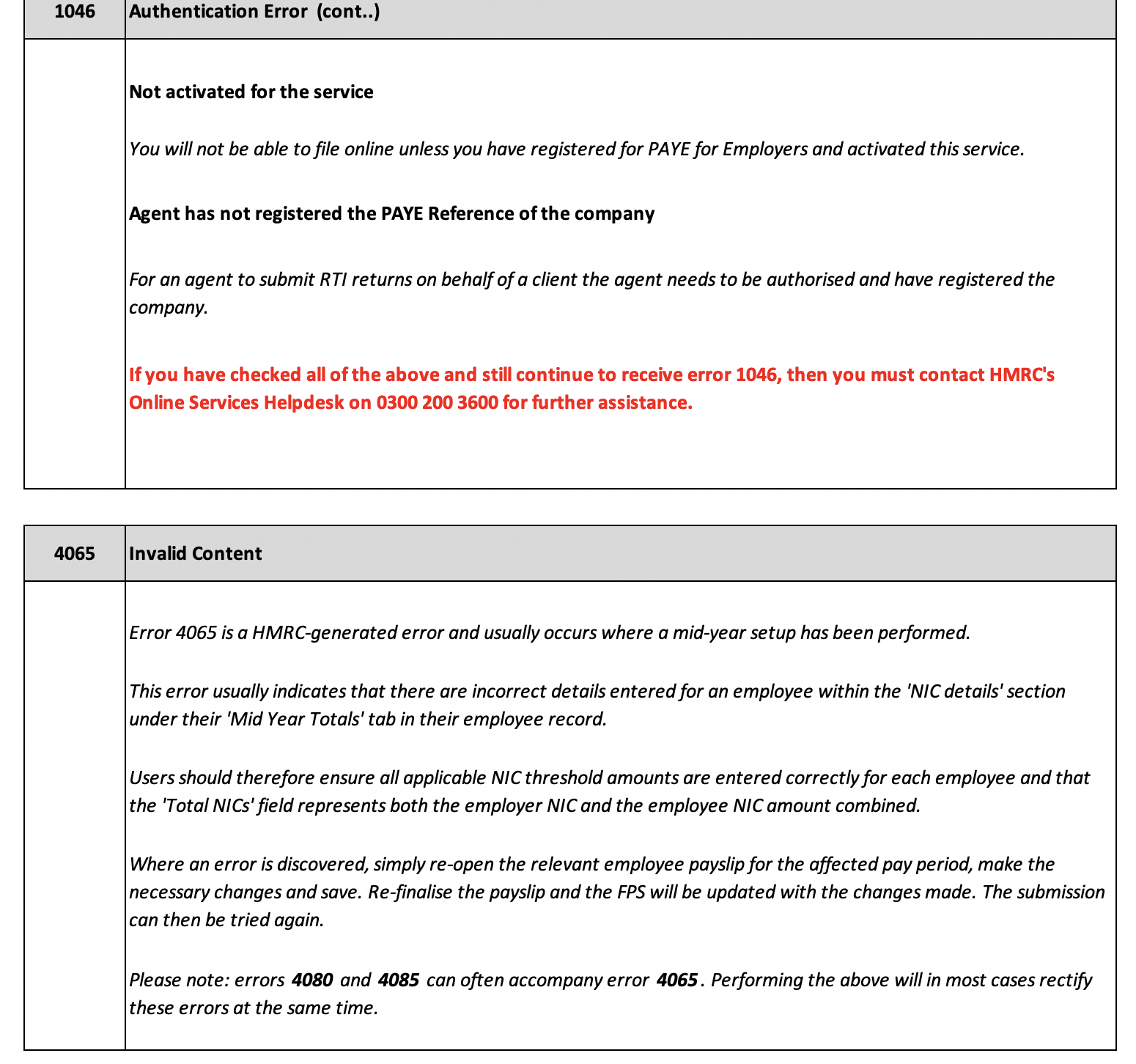
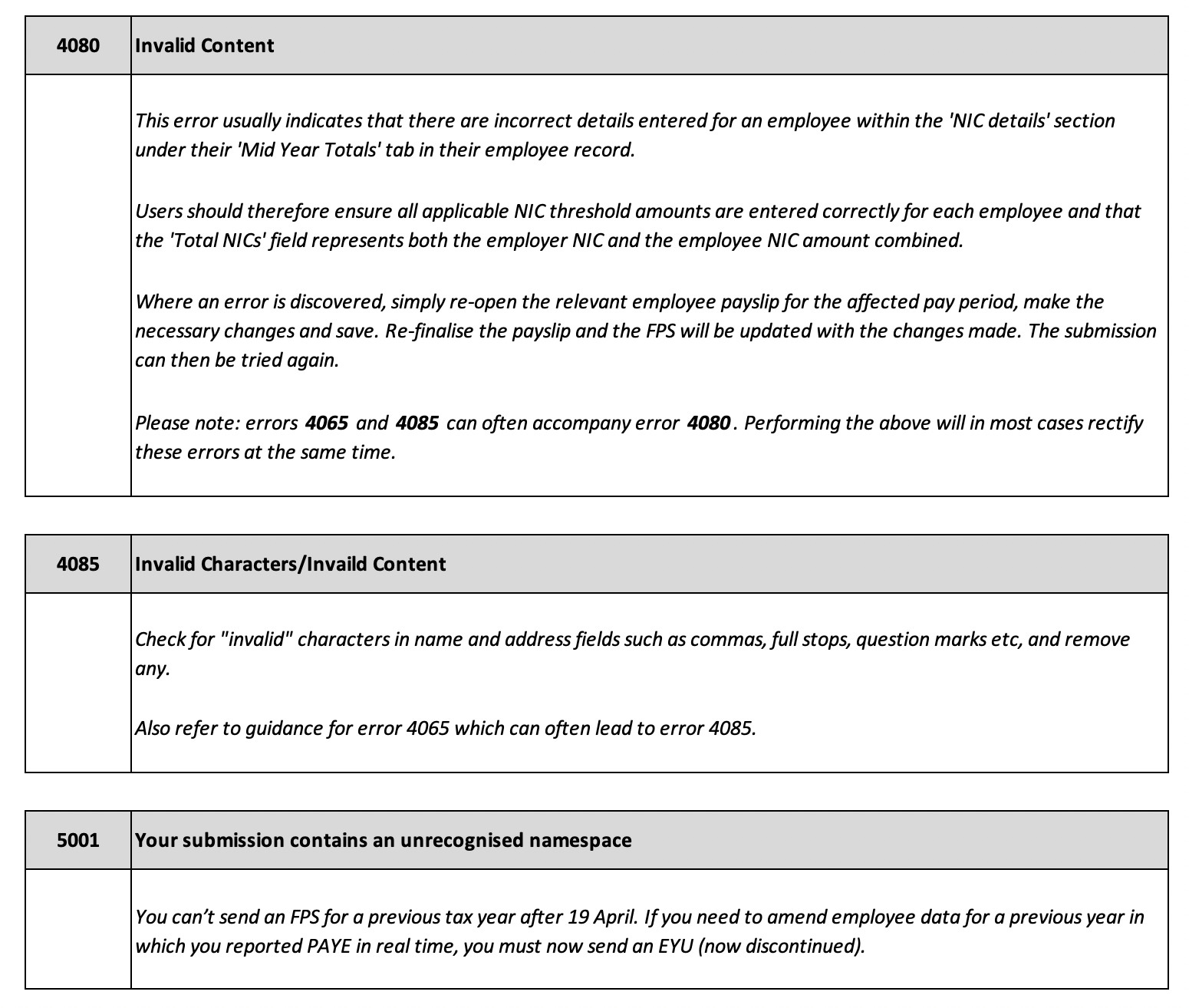
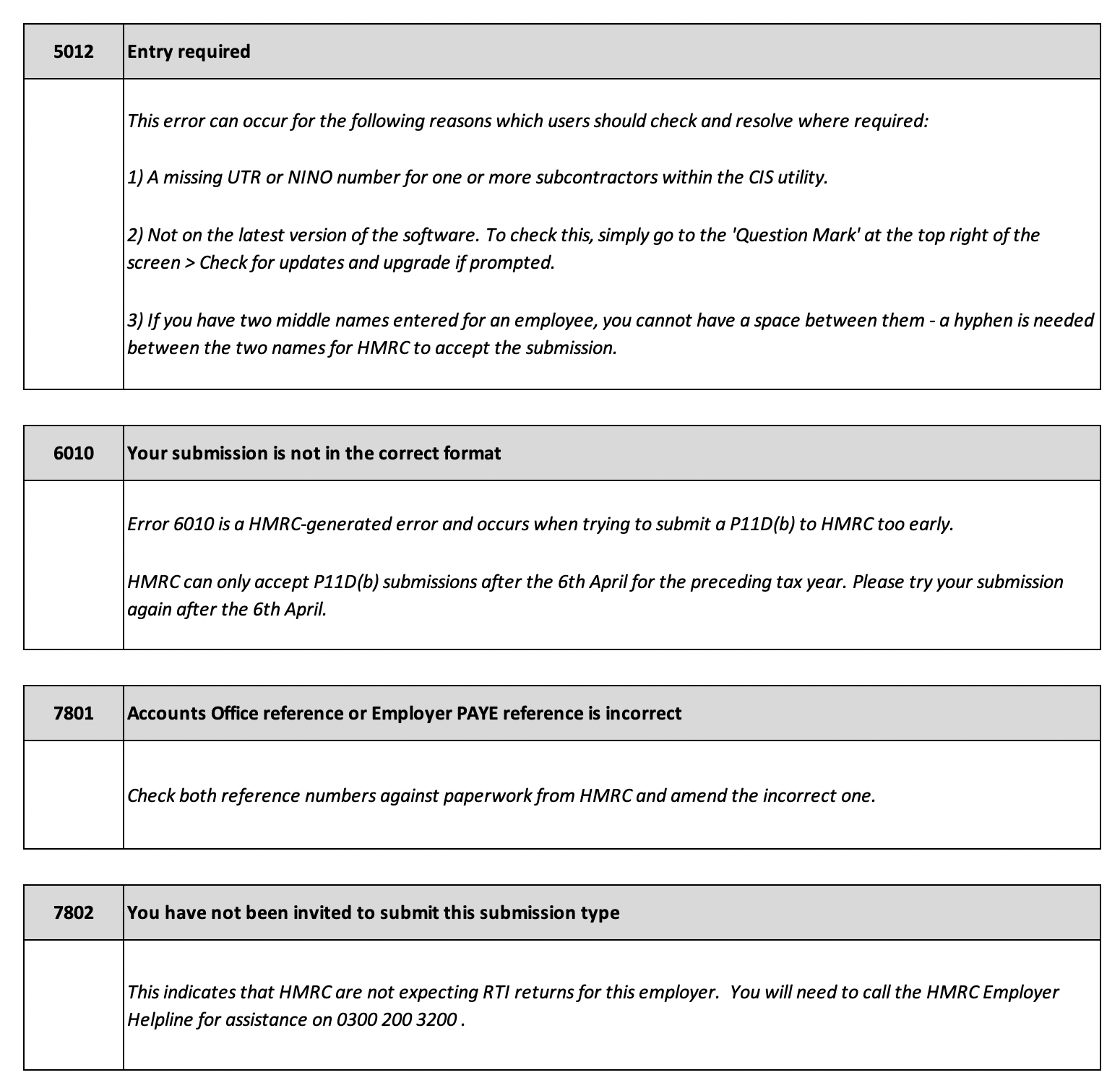
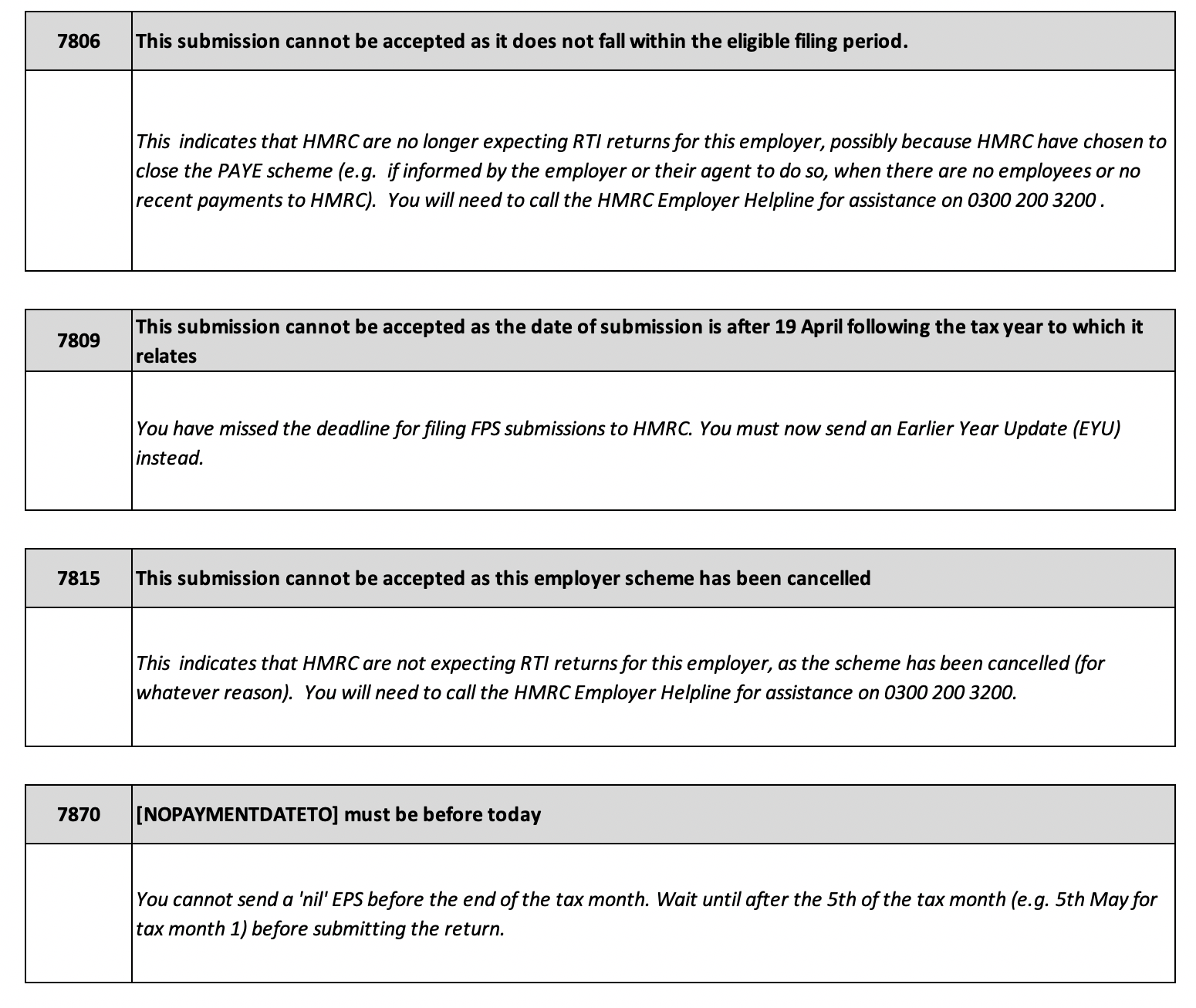
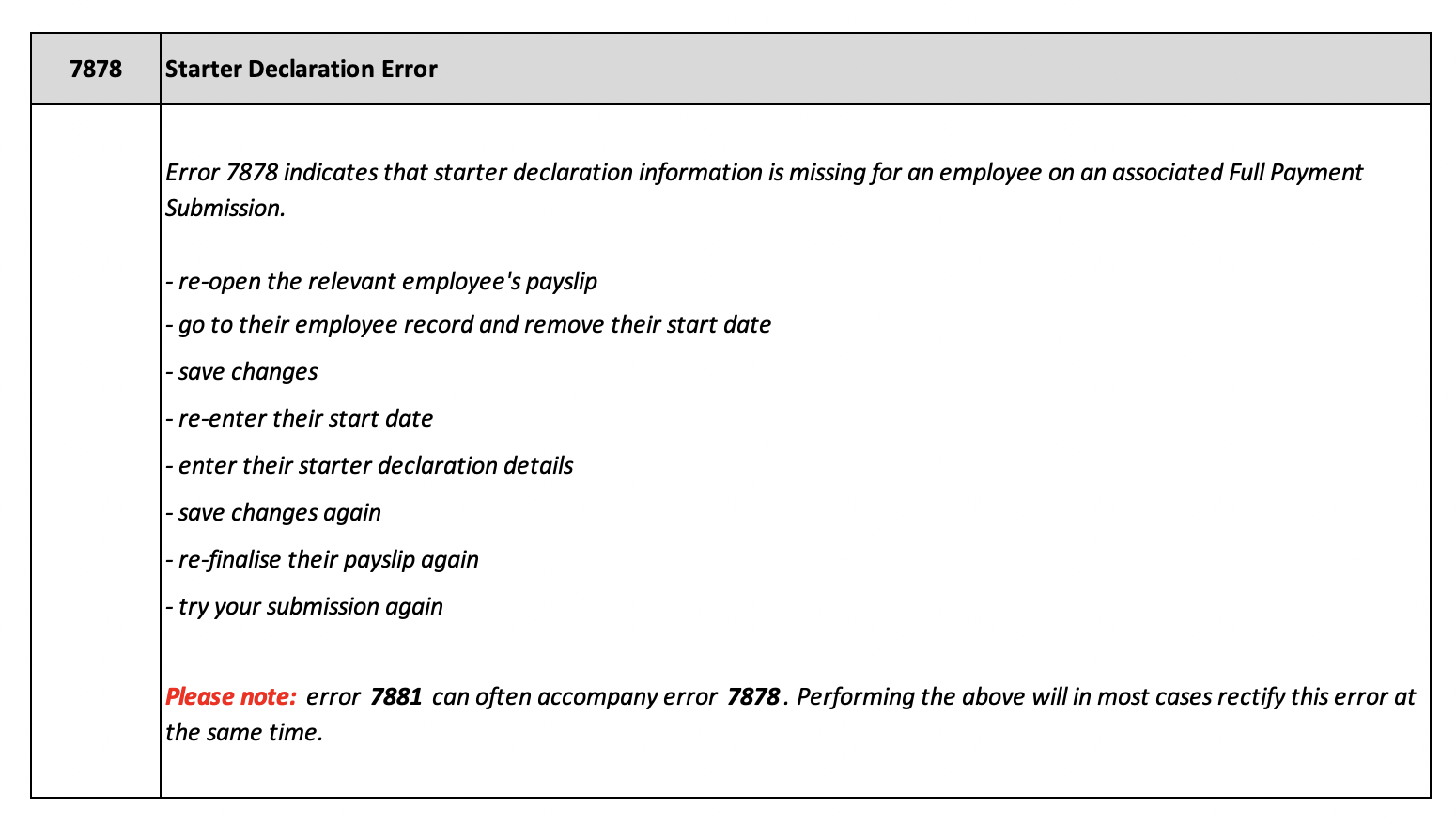
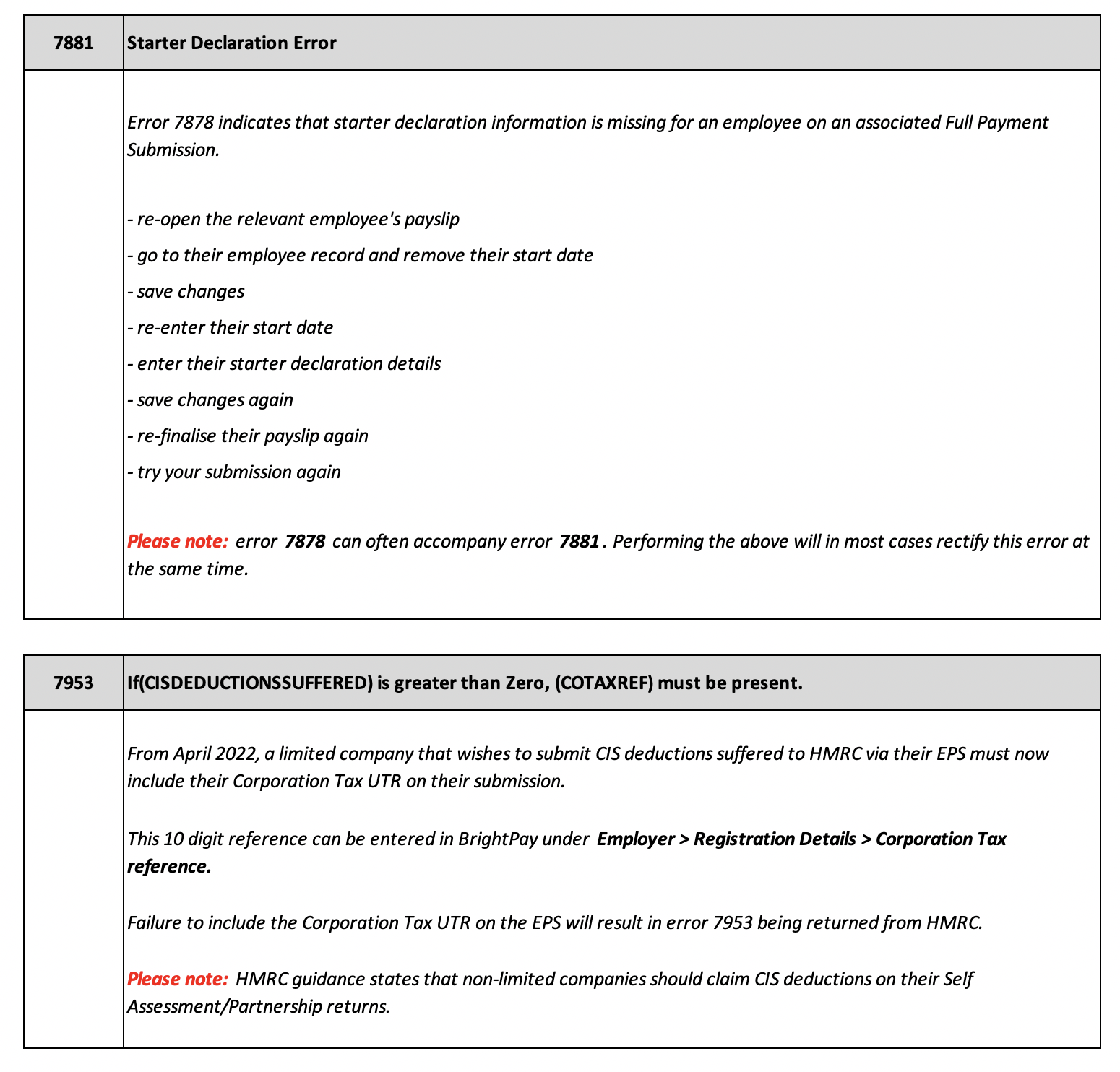
Please find below guidance on the most common error messages that you may receive when sending payroll information using RTI to HMRC.
Please note: These error messages are generated by HMRC and not by BrightPay. If you require further assistance, please call the HMRC Employer Helpline on 0300 200 3200.
If you have moved over to BrightPay mid-year, check the mid-year totals are correct and that the figures entered are not causing the negative YTD values that HMRC are rejecting.
FAQs
Q. I’m getting this error when sending an RTI submission:
“3001 The submission of this document has failed due to departmental specific business logic in the Body tag. ChRIS 4084 Value ‘[date]’ is too small ChRIS 4065 Invalid content found at element ‘AvailTo’.” What does this mean?
A. This error usually relates to the end date entered for a car benefit. The ‘AvailTo’ date you’ve entered appears to fall into a previous tax year, which HMRC will not accept for this submission.
Please check that the car benefit end date is correct and update it if necessary so that it falls within the correct tax year. Once you’ve amended the date, resend your RTI submission and it should be accepted.
Q. I am getting this error when sending an RTI submission — 'You have not been invited to submit this submission type'
A. This error means the PAYE reference you are trying to submit for is not linked to the Government Gateway credentials entered in BrightPay. This is an HMRC authorisation issue and cannot be resolved within BrightPay itself.
If this is a new client, you will need to wait until HMRC have authorised or transferred the PAYE scheme under your agent credentials — this process can take several weeks. If you believe the authorisation has already been completed, log in to your Government Gateway account and check whether this client's PAYE scheme is visible under your list of authorised clients. If it is not showing there, HMRC do not yet have the link in place regardless of what has been requested.
In either case, please contact HMRC directly to query the authorisation status — BrightPay Support are unable to assist with this as it is entirely governed by HMRC's own systems. Once HMRC confirm the PAYE scheme is correctly linked to your credentials, the submission should go through from BrightPay without any further changes needed.
Comments
0 comments
Article is closed for comments.