
Statutory Neo-Natal Care Pay (SNCP)
For Statutory Neo-Natal Care the employee and their partner may be entitled to take paid time off work if their child requires neonatal care within 28 days of being born. The entitlement is for a maximum of 12 weeks. This applies to children born on or after: 6 April 2025 and if the employee is employed in England, Scotland or Wales. Currently Statutory Neonatal Care Leave and Pay is not available in Northern Ireland
Statutory Neo-natal Care Pay operates in the same manner as other statutory parental entitlements, such as SMP, SPP, ShPP, etc such as the employee must also:
• continue to be employed up to the day they want to take the pay
• earn on average £129 a week before tax (gross) over an 8 week period
• give their employer the correct notice, including all the required information, and complete a declaration to claim Statutory Neonatal Care Pay.
In tax year 2026/27, SNCP will be paid at £194.32 per week (or 90% of average weekly earnings where this is lower), provided the employee has earned at least the lower earnings limit for the past eight weeks. If the employee does not meet these requirements, SNCP will be unpaid.
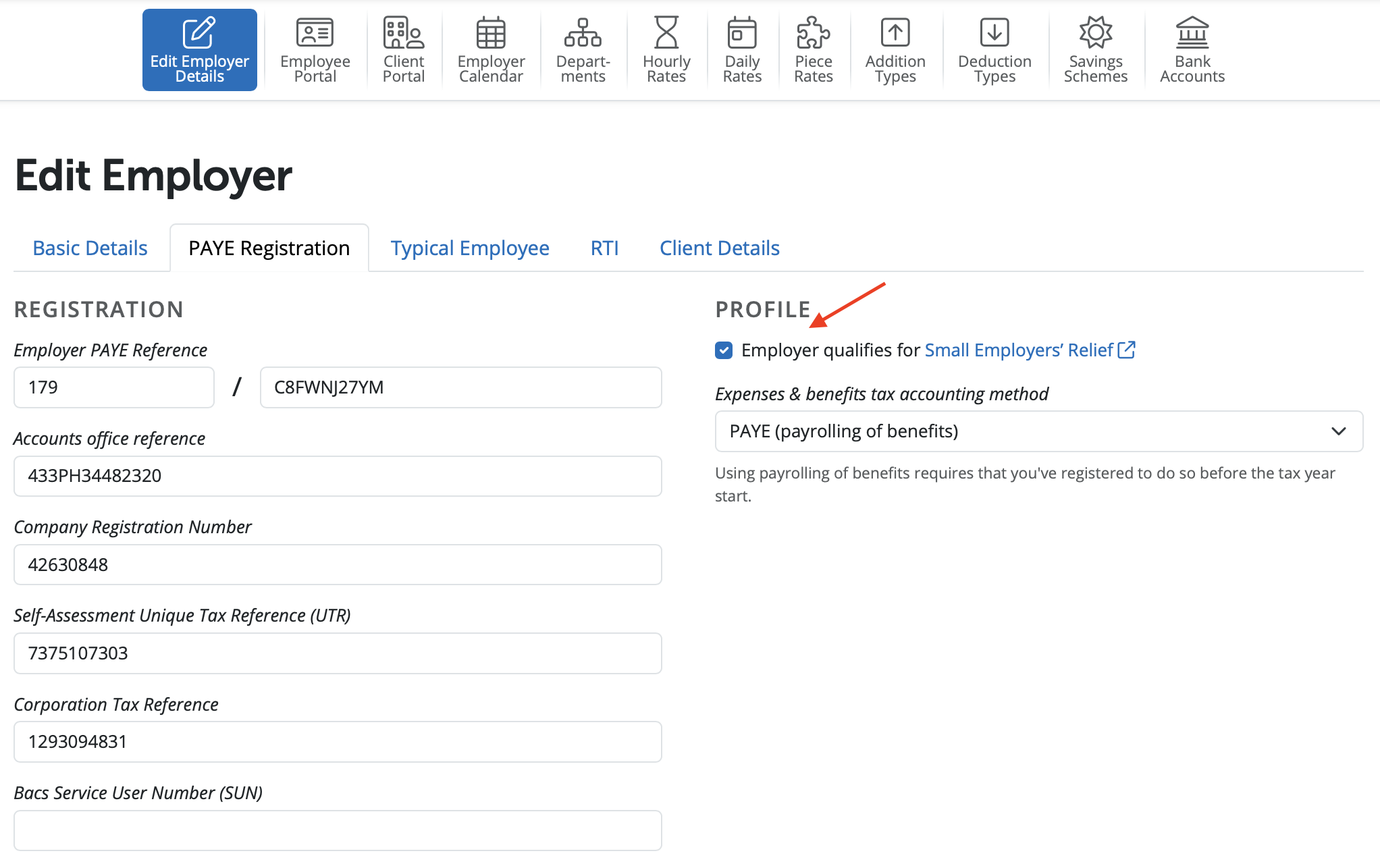
Employers can recover 92% paid, or where eligible for Small Employers Relief, they can reclaim 109%. Should you qualify for Small Employer's Relief, ensure the box is ticked within Employer > Edit Employer Details > PAYE Registration.
Blocks of Leave
SNCP may be taken as a block of one week for every seven full and continuous days the baby is in neonatal care for up to 12 weeks.
The blocks of leave must be taken at the end of any other leave entitlement, if you are already on maternity or adoption leave as you can get Neonatal Care Pay and Leave in addition to other parental pay and leave entitlements.
Calculating Statutory Neo-natal Care Pay in BrightPay
To access this utility, simply click 'Payroll' and select the employee’s name on the left:
- Under Statutory Pay, click Calendar
- On the Calendar, click on the date on which the leave is to start
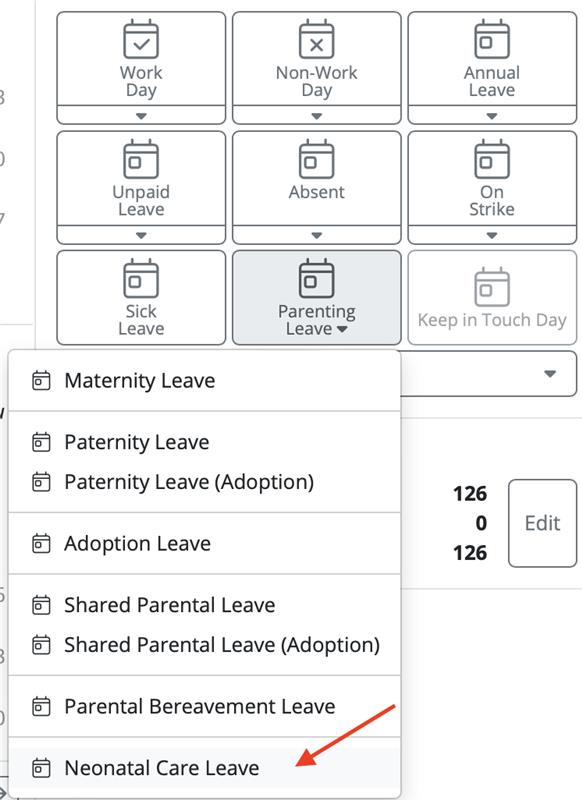
- Select Neonatal Care Leave from the Parenting Leave section at the top right of the screen
Leave Details
- Within the 'Leave Details' section, enter the date of the child's birth.
Blocks of Leave
- Within the 'Blocks of Leave' section, record each block of leave accordingly. Once SNCP payments for any given block have started, they will no longer be changeable.
The employee has the right to book up to two weeks of leave (either together or separate) in the 56 week period from the child's death date.
Important Note: When entering Statutory Neonatal Care Pay and Leave in BrightPay, leave is recorded in blocks with two tiers:
- Tier 1 — for leave taken while the baby is still in neonatal care (This is the default tier in BrightPay)
- Tier 2 — for leave taken after the baby has been discharged from neonatal care
If you are entering leave that takes place after the baby has been discharged; for example, a date several months after the birth - you will need to change the tier from Tier 1 to Tier 2 in the dropdown menu when adding the leave block. BrightPay defaults to Tier 1, so if the baby is no longer in neonatal care at the time the leave is being taken, this must be manually changed.
Failing to change to Tier 2 when appropriate is the most common reason BrightPay rejects the leave dates for later periods.
Average Weekly Earnings
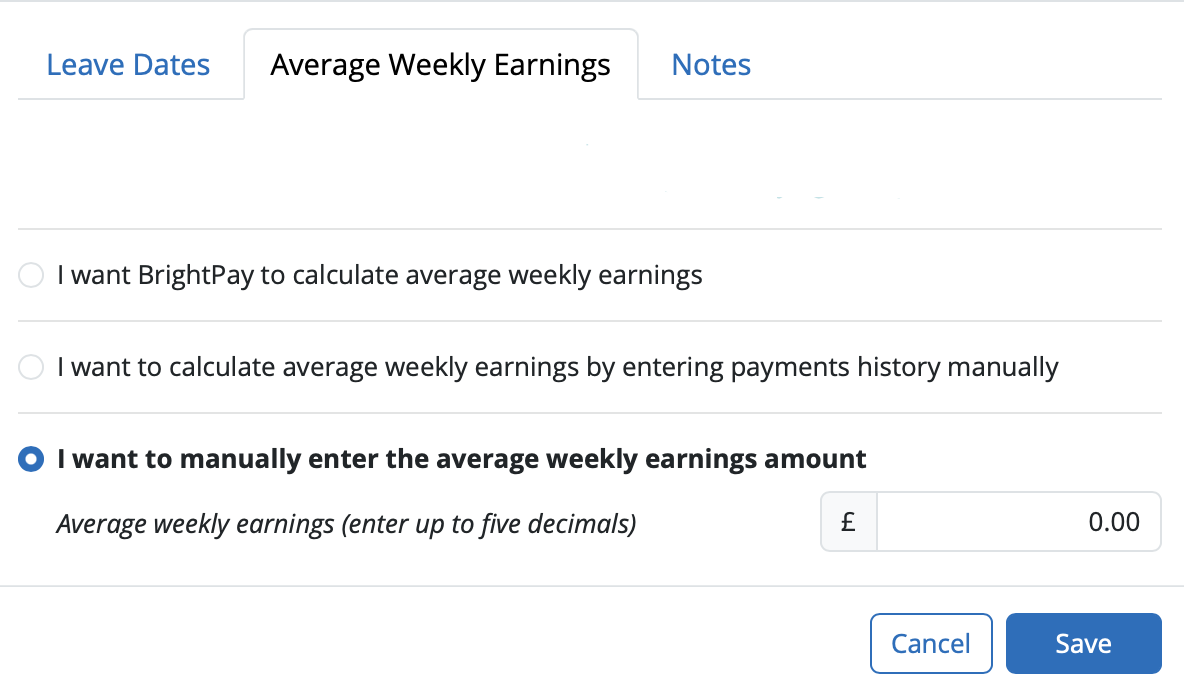
Within the Average Weekly Earnings section, BrightPay will now offer you three ways of establishing the employee’s average weekly earnings for the purpose of calculating SPBP due.
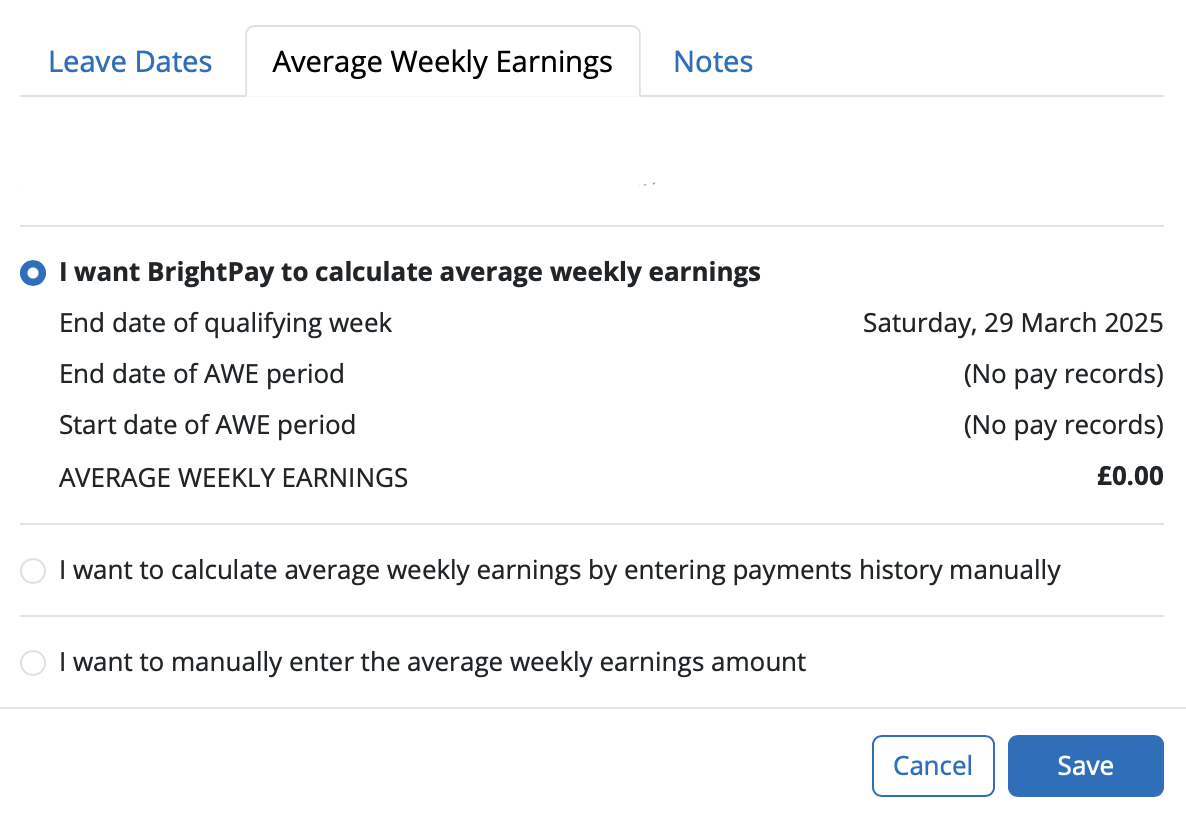
- I want BrightPay to calculate the average weekly earnings (AWE) - with this option, BrightPay will attempt to automatically calculate the employee's AWE. Where a calculation is possible, full details of the calculation will be displayed. Where the software detects any potential issues with the calculation (e.g. no payment history, more/fewer earnings than expected, unsupported pay schedule) a warning will be given to the user:
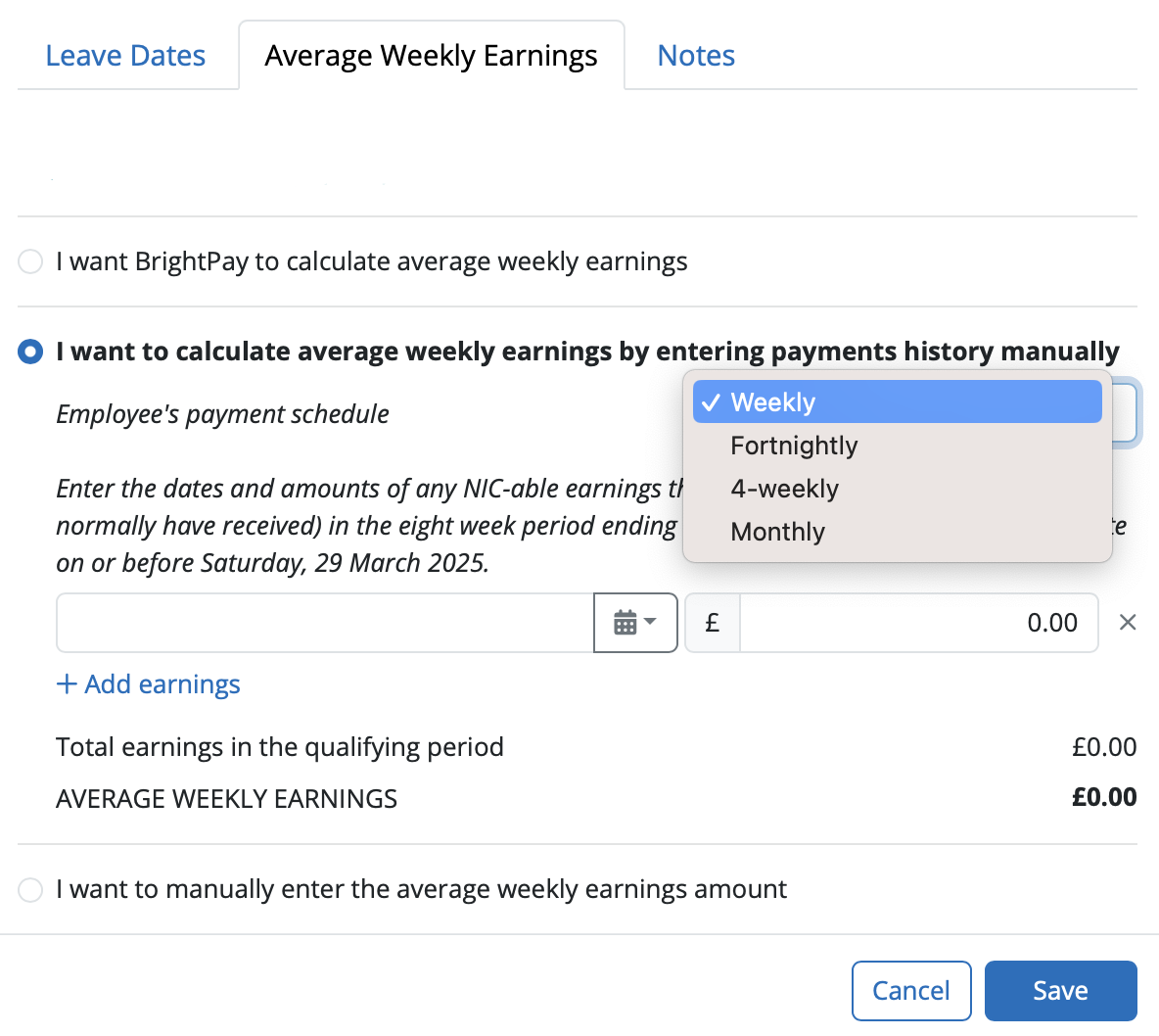
- I want to calculate average weekly earnings by entering payments history manually - where BrightPay is unable to calculate the employee's AWE automatically (e.g. where a different software was used previously and historical pay data is not available to BrightPay), this option allows users to enter the dates and amounts of the employee's earnings history manually, which BrightPay will then use to calculate the employee's AWE.
- I want to manually enter the average weekly earnings amount - the user can at their discretion use this option instead to enter the employee’s average weekly earnings figure, where this is known.
Notes
Use the Notes section to enter any relevant notes relating to the employee's parenting leave.
Click 'Save' when the parenting leave details are completed. The software will automatically update the calendar accordingly and apply the SNCP due.
How BrightPay calculates SNCP
BrightPay uses the full statutory week method when calculating & applying SNCP.
Monthly Payroll Example:
Neonatal Care Leave begins on a Wednesday. Therefore the last day of the SNCP week will be a Tuesday.
SNCP will thus begin in the pay period in which the first Tuesday of the Neo-natal care leave falls.
BrightPay will then establish how many Tuesdays fall in the pay period and apply the weekly SNCP rate to the number of Tuesdays there are.
Weekly Payroll Example:
Neonatal Care Leave begins on a Wednesday. Therefore the last day of the SNCP week will be a Tuesday.
SNCP will thus begin in the weekly pay period in which the first Tuesday of the Neo-natal leave falls.
Important Note:
Neonatal Care Leave - Employees are eligible from Day 1 of their employment.
Statutory Neonatal Care Pay (SNCP) - The employee must have been employed for at least 26 weeks up to the end of the ‘qualifying week’ ie, similar rules to SMP eligibility apply.
An employee is entitled to the leave from day 1 of employment, but may not necessarily be entitled to SNCP.
Comments
0 comments
Article is closed for comments.