
An Employee Count Report is available within the Employees utility.
This report documents the number of employees in each pay period, including a departmental breakdown of employee numbers. It also indicates how many starters and leavers there are in each pay period, if applicable.
To view this report:
a) Within ‘Employees', click 'More’ on the menu bar, followed by 'Employee Count...'
b) Select Email/Export PDF/Print as required.
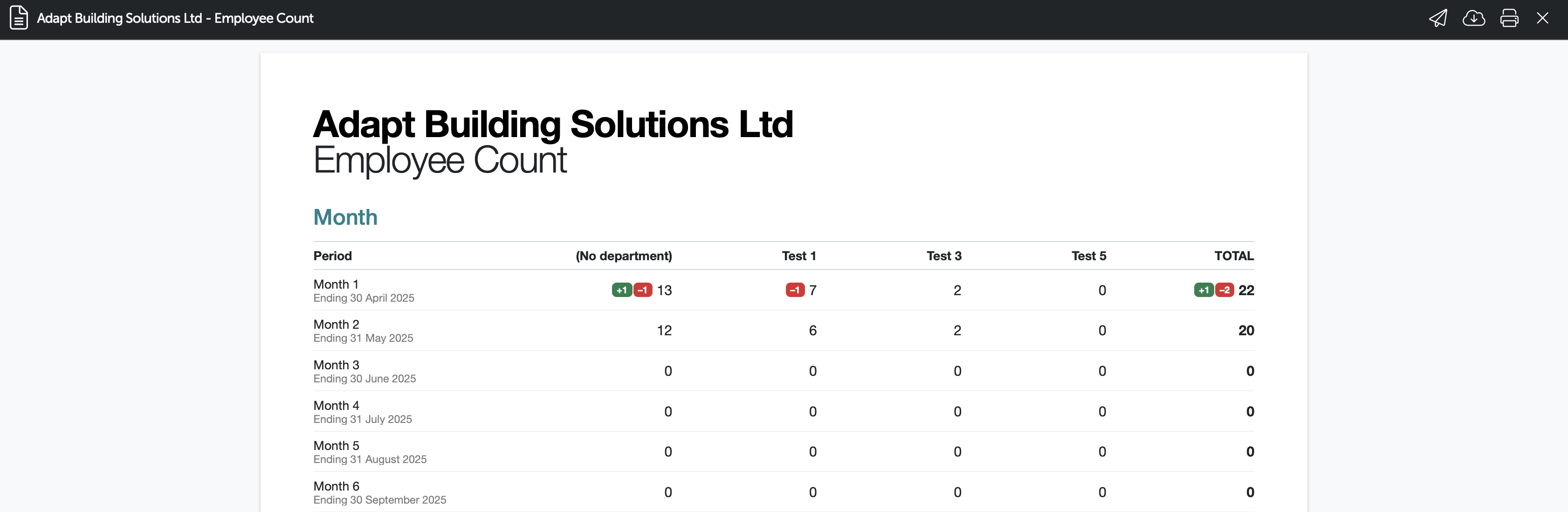
The report includes all employees with finalised payslips for that period (including new starters and leavers). The number of new starters is indicated in green and leavers are shown in red.
Please note: The employee count report is per employer and not a report for all employers, you can use the Bureau Statistics report for multiple employer reporting.
Comments
0 comments
Article is closed for comments.