
You can enable or disable access to the Self Service Portal globally for all employees or at an individual level.
Select/Deselect all Employees to have access to Self Service Portal
1) Within your BrightPay organisation, open the employer you require.
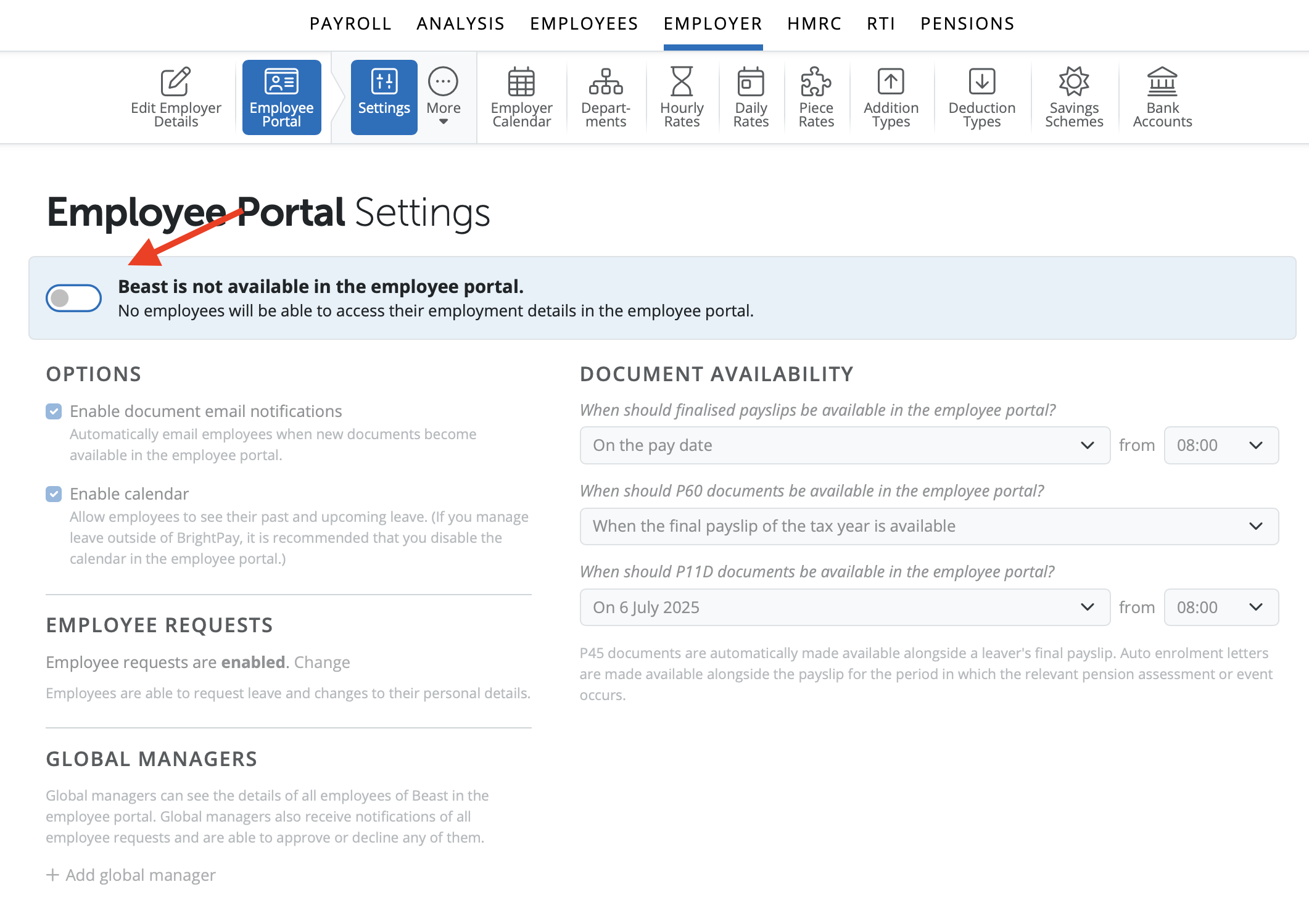
2) Go to > Employer > Employee Portal
3) Choose 'Settings'.
4) Select or deselect 'Employer is not/available in the employee portal' to make any required changes and click 'Save'.
Enable/Disable an Individual Employee access to Self Service Portal
1) Within your BrightPay organisation, open the employer you require.
2) Go to > Employees > Select an Employee > Edit Details
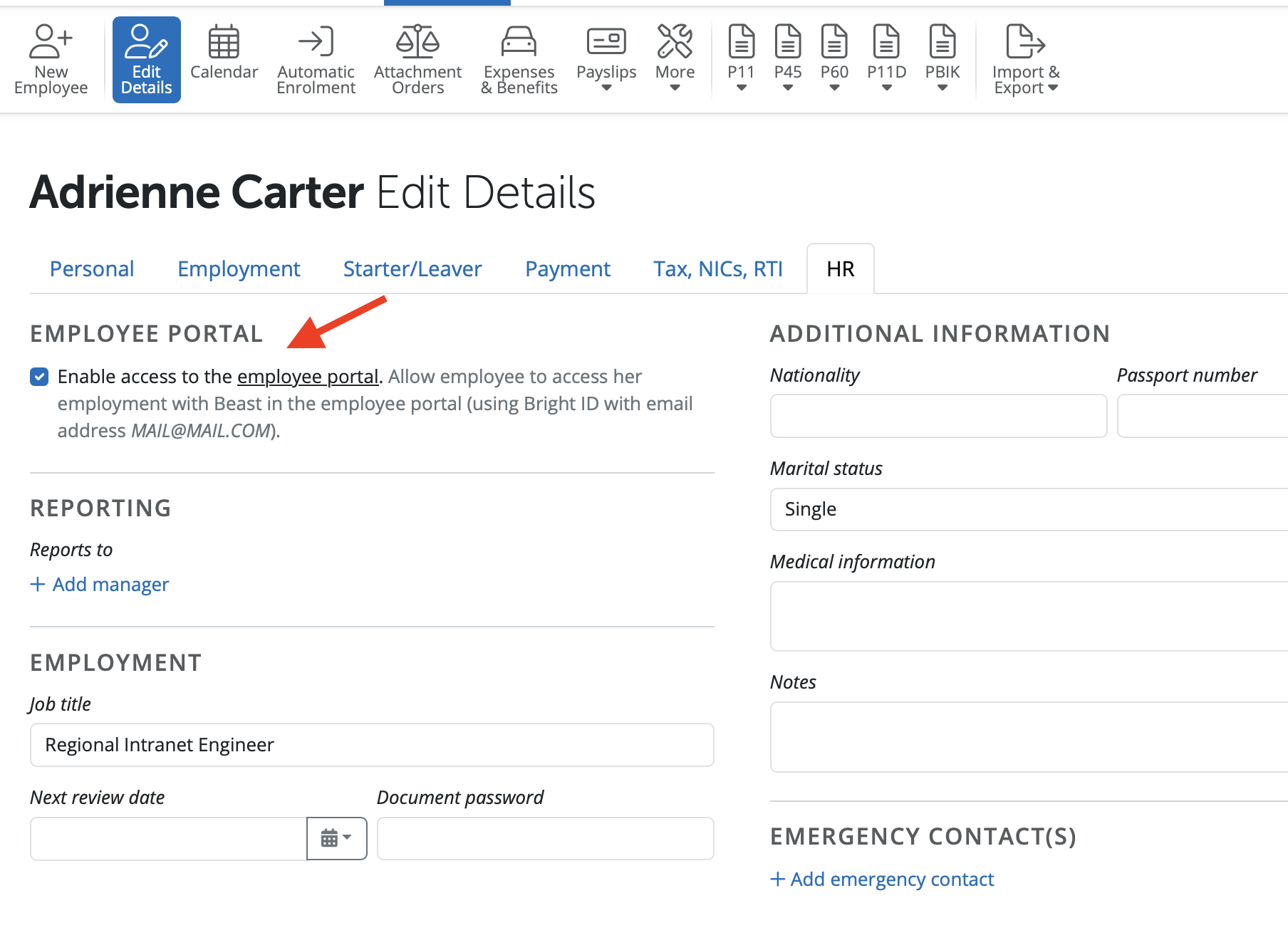
3) Choose the 'HR' tab.
4) Ensure an employee has an email address entered in their profile in order to enable self-service for this employee.
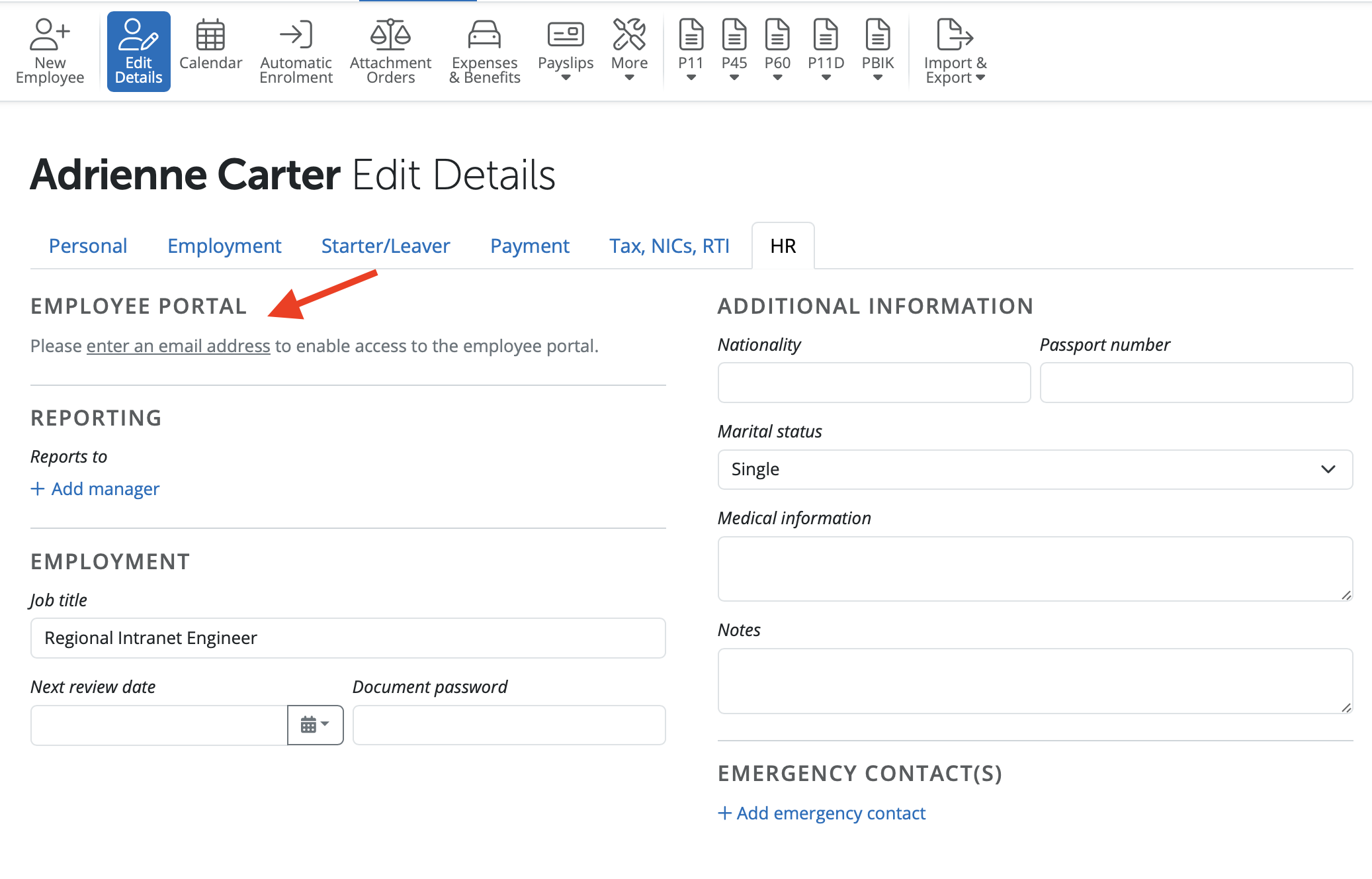
5) Select or deselect 'Enable self service' in order to allow/remove the individual employee access to their self service portal and click 'Save'.
Comments
0 comments
Article is closed for comments.