
Marking an Individual Employee as Confidential
An employee can be marked as confidential in order to prevent Managers or Users without the requisite permission from viewing this employee's information and pay details on BrightPay's Manager Portal and Client Portal.
To mark an employee as confidential:
1) Within your BrightPay organisation, open the employer you require.
2) Go to > Employees > Select an Employee > Edit Details
3) Choose the 'HR' tab.
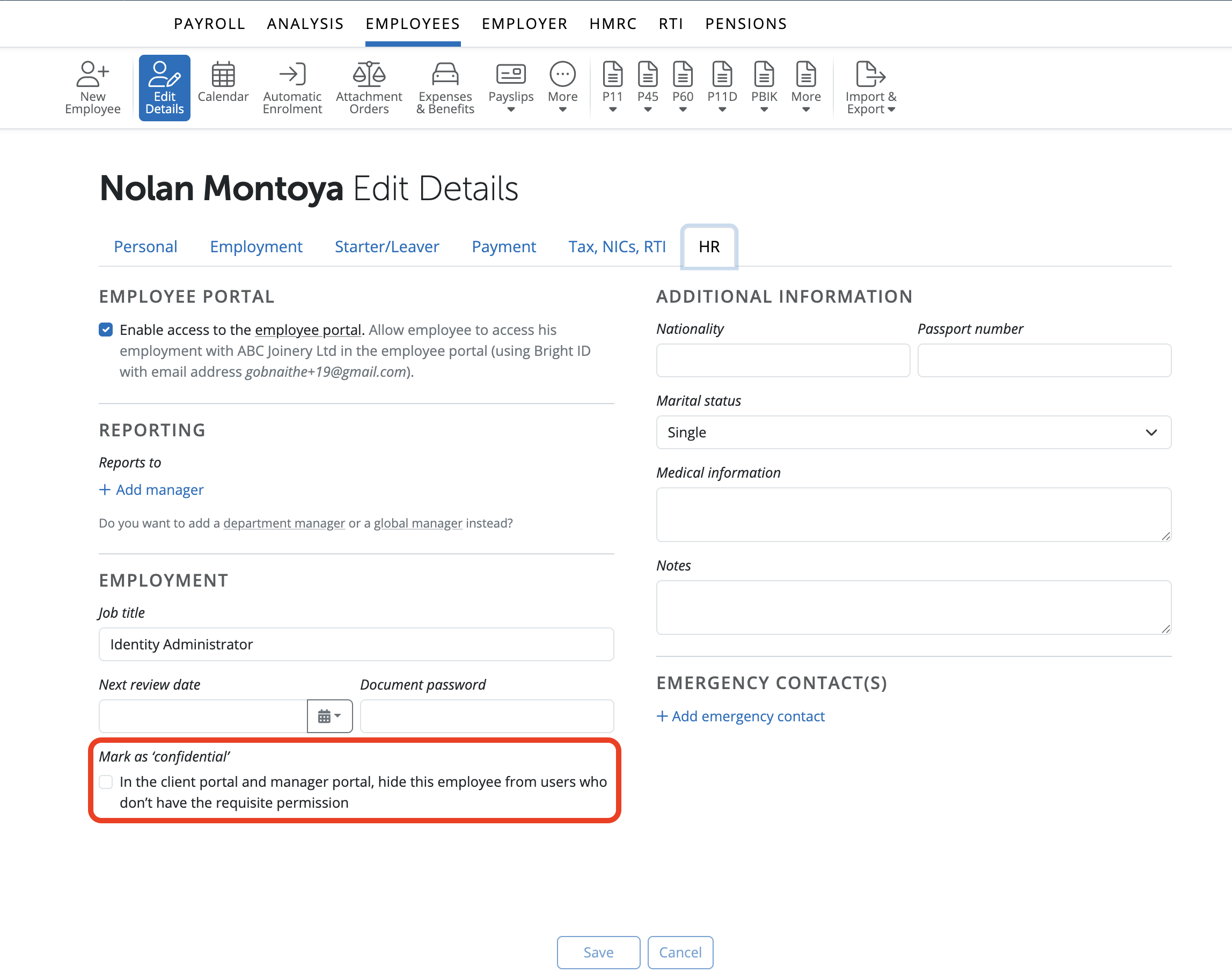
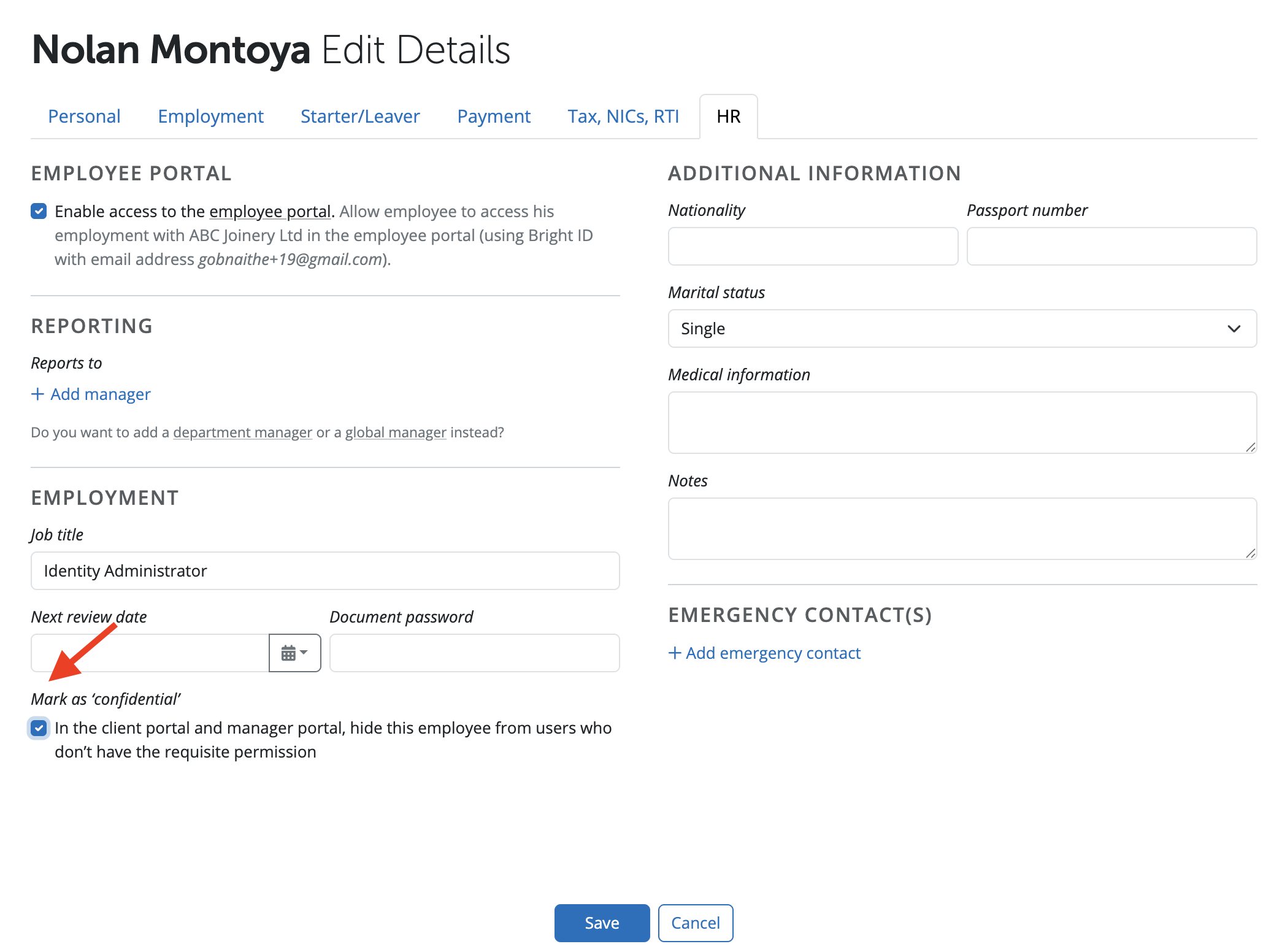
4) Select or deselect 'Mark as 'confidential'' in order to have the individual employee marked as confidential and click 'Save'.
Comments
0 comments
Article is closed for comments.