
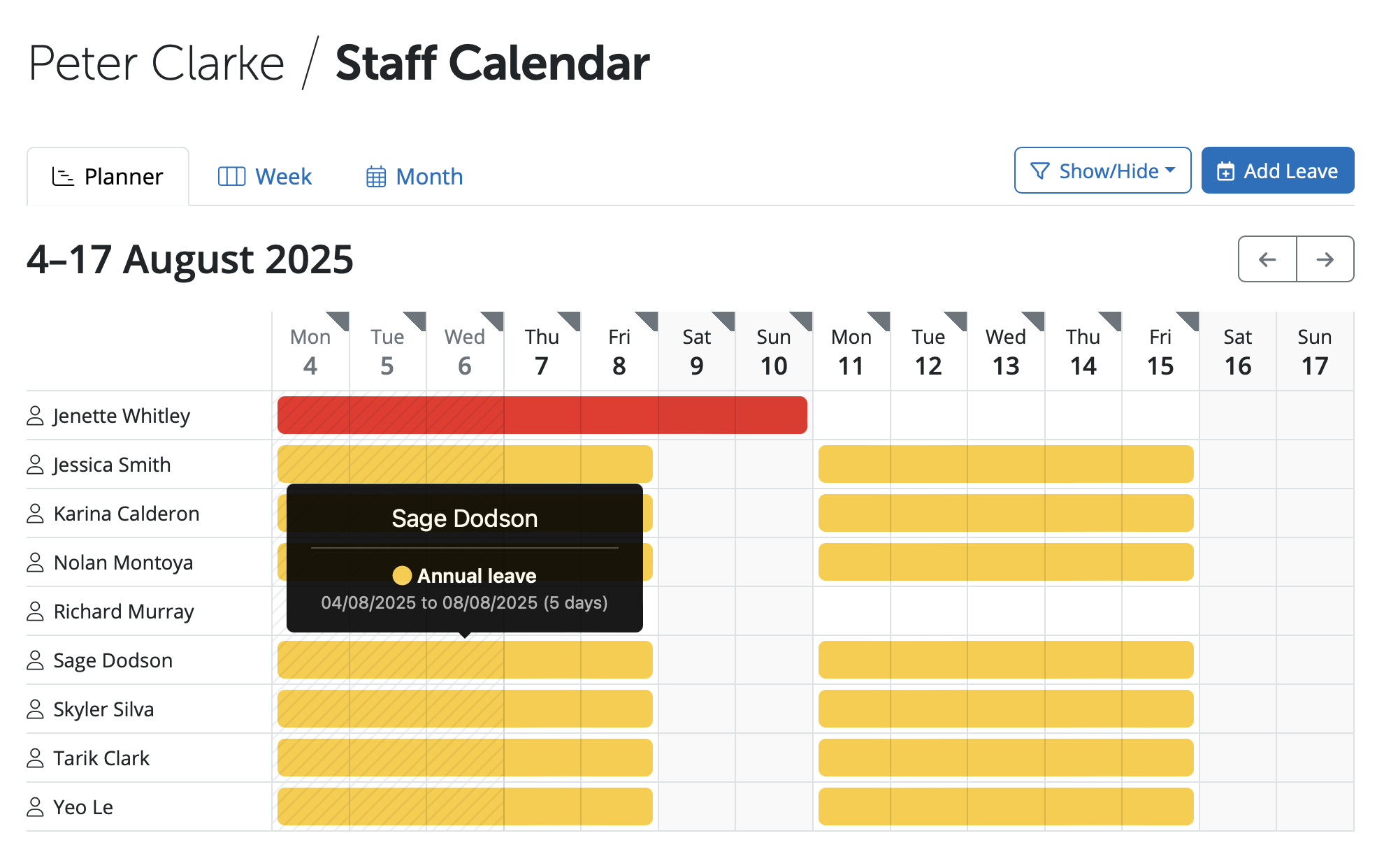
When a Manager selects the calendar option in the Manager's Portal they will see a Planner view of employees and leave in a two week period. If the Manager wishes to view other dates please use the arrow icons to go back and forward dates.

If the Manager hovers over a date for an employee it shows the leave details such as the type of leave and the leave dates.
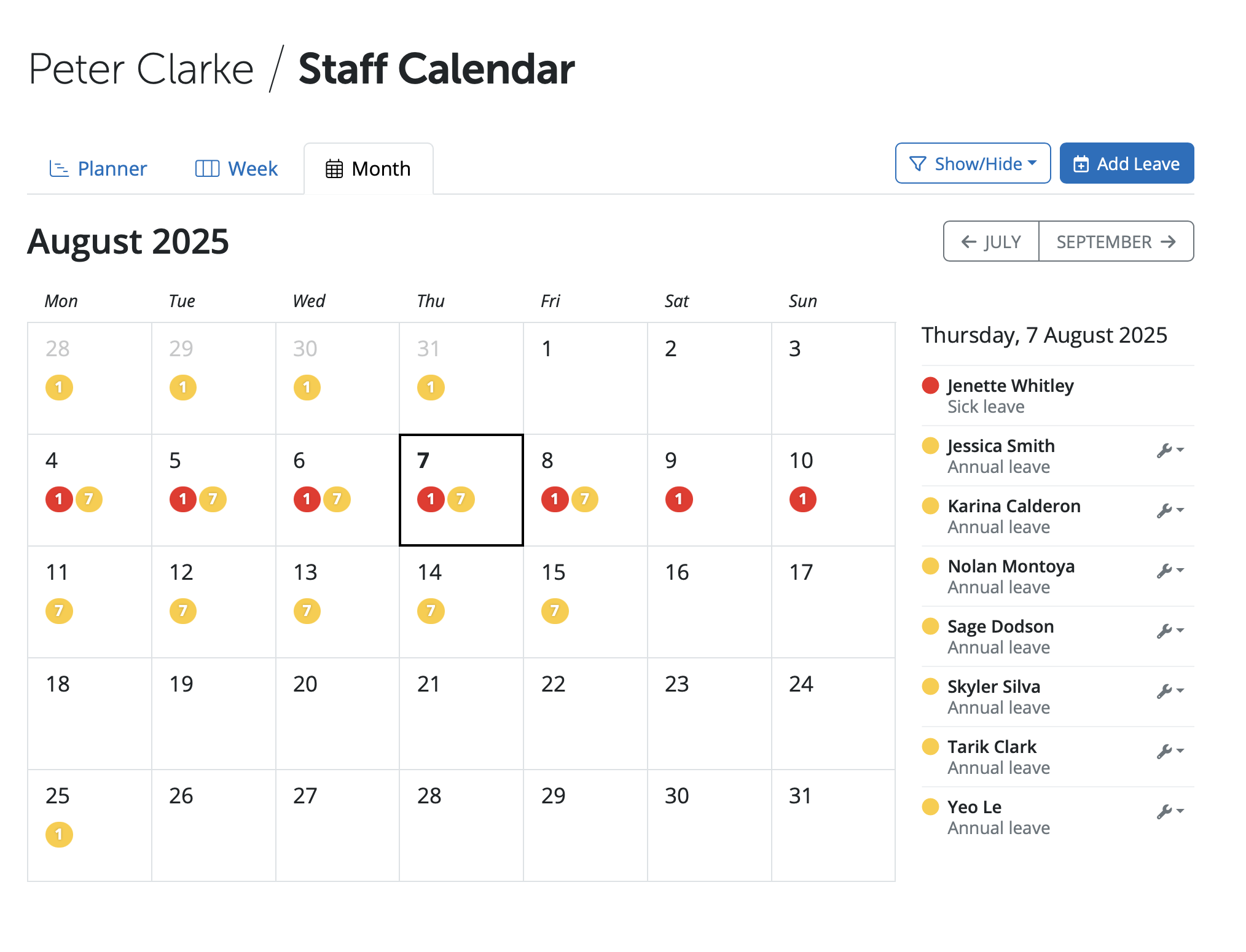
A Weekly or Monthly views can be selected. On the Monthly views select a date on the calendar and view a list of employees and leave type on the right of the calendar. Filter options to show or hide leave types is available under the 'Show/Hide' icon.
Managers can book most leave types for employees, except Statutory pay items such as maternity leave, paternity leave or sick leave.
The calendar view is for all employees, it is not possible to view an individual employee's leave only.
Comments
0 comments
Article is closed for comments.