
Managers receive email alerts when a leave request is made, allowing them to approve or reject it. Ensure that your notification settings are correct so you don't miss these alerts.
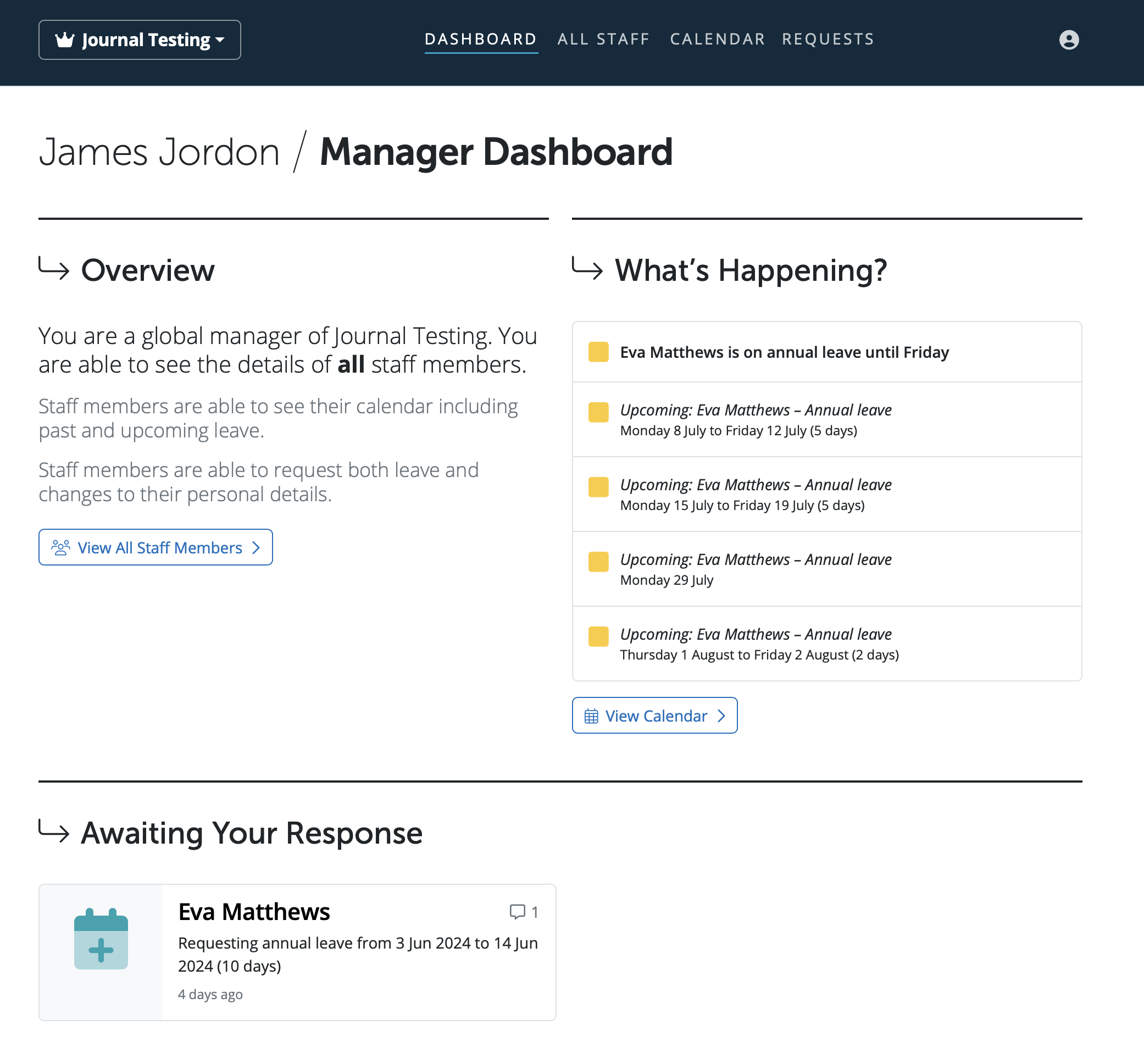
The Manager's Portal gives an overview of the employees you are assigned to as a manager, the employees' personal details, upcoming calendar events (e.g. annual leave), access to the employer calendar, the option to add leave types and cancel leave for employees and the option to approve/decline employee requests.
The three different types of managers are assigned in the employer in BrightPay - Global Manager, Department Manager and Line Manager.
Also included on this dashboard is a list of notifications, including any requests that employees have made using Self Service. These requests can be approved/declined here, and the updated data will be reflected in BrightPay, the Employee Self Service Portal and Client Portal.
Please note: All leave types will be available for the manager to book onto an employee's calendar. There is no way to restrict leave types to only annual leave, unpaid leave for example.
Managers cannot book any type of statutory leave - ie sick leave or parenting leave.
Sick leave can be booked by client users or the payroll processor, but statutory paid parenting leave can only be booked by the payroll processor.
Leave management permissions by user role
The ability to add, cancel, and report on leave in BrightPay varies by user role as follows:
Payroll Processors and Client Portal Users have the same leave management permissions and can add and cancel all leave types, including sick leave, parenting leave, and annual leave. The only restriction for either role is employee visibility — a payroll processor can only access employers they have been given access to, and a client portal user can only see employees in the departments they have been assigned to and will not see employees marked as confidential unless they have been explicitly granted that permission. Client portal users can also run leave reports.
Managers — whether global, department, or individual — have the same leave permissions as each other; the only difference between manager types is which employees they can view. Managers can add all leave types except sick leave and parenting leave. Managers cannot cancel or remove leave from the calendar — this must be done by a payroll processor, administrator, or client portal user. Managers cannot run leave reports.
When leave request emails are being received but the requests are not visible in the portal, this is most commonly caused by users still accessing the old portal rather than the new BrightPay Cloud portal. This can happen when moving from BrightPay Desktop or Connect to Cloud, as browsers may have saved the old portal URL.
Please check the following:
- Ensure all employees are submitting leave requests via the new BrightPay Cloud employee portal and not the old employee app or Connect portal
- Ensure the manager or employer is logging in via the new BrightPay Cloud portal URL and not the old Connect employer portal
- Check that the correct portal URLs have been bookmarked in all browsers — if the old URL is bookmarked, it may be taking users to the wrong portal without them realising
- If the browser is redirecting to the old portal automatically, clear the browser cache and cookies and log in again using the correct BrightPay Cloud URL
If the issue persists after confirming all users are on the correct portal, please raise a support ticket.
Comments
0 comments
Article is closed for comments.