
BrightPay includes the ability to retrieve and process employee PAYE coding notices directly from HMRC (P9, PB, P6B, SL1, SL2, PGL1 & PGL2).
BrightPay will also read any Scottish and Welsh tax indicators in P6/P9 notices, as well as the Plan type indicator in SL1 notices.
Please note: To use this feature, ensure the notice options in your HMRC PAYE dashboard are all set to Yes. Only new coding notices issued after this instruction will be available for download.
Within BrightPay, click the Payroll tab:
- Click Coding Notices on the menu toolbar
- Enter your HMRC Sender ID and password under , if not already entered
- Click Check for Notices
Current coding notices will be displayed on screen.
- Select the employees whose notices you would like to import and click Apply Selected
If you wish to download the coding notices you can click on Export or Share - and you will be able to email, print or download this PDF.
The employee record(s) will be updated accordingly to reflect the information within the notice(s).
To view a history of employee coding notices that have been applied, click into the History tab.
If you wish to download the History of coding notices you can click on Export or Share in this screen - and you can choose your option from
All (coding notices)
Last Week ...
Last 2 weeks ...
Last 4 Weeks ...
Last Month ...
Last 3 Months ...
You will be able to email, print or download this report to PDF
Coding Notice Tracking
When availing of the Coding Notice utility in BrightPay, BrightPay will track the number of actionable coding notices retrieved from HMRC.
- The number of actionable coding notices will be displayed on the coding notices toolbar icon within the Payroll utility:

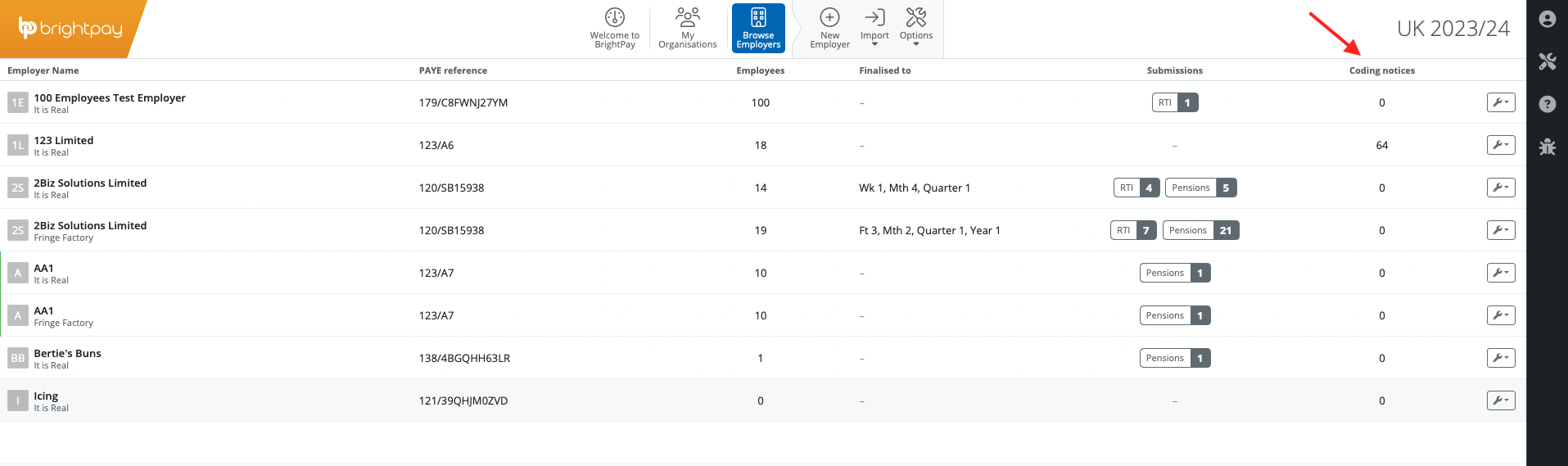
- 'Number of open coding notices' is also available to display as a column on the BrightPay Employer screen:
Please note: To use this feature, ensure the notice options in your HMRC PAYE dashboard are all set to Yes. Only NEW coding notices issued after this instruction will be available for download.
If a coding notification (P9, PB, P6B, SL1, SL2, PGL1 & PGL2) is not linking to an employee, check that the NINO in the employee's record is correct and matches the NINO that HMRC have on record and is displaying on the coding notice.
If coding notices are not pulling through to the software but a letter has been received by HMRC, this means the employer is not set up to receive online coding notices. When an employer is set up for online coding notices, no letter is sent by HMRC as it is all done via the software or you can check the government gateway account for any changes.
Comments
0 comments
Article is closed for comments.