
To reset your password for logging into BrightPay Cloud (using your BrightID), please follow these steps:
-
Go to the BrightPay Cloud login page here https://id.brightsg.com/login
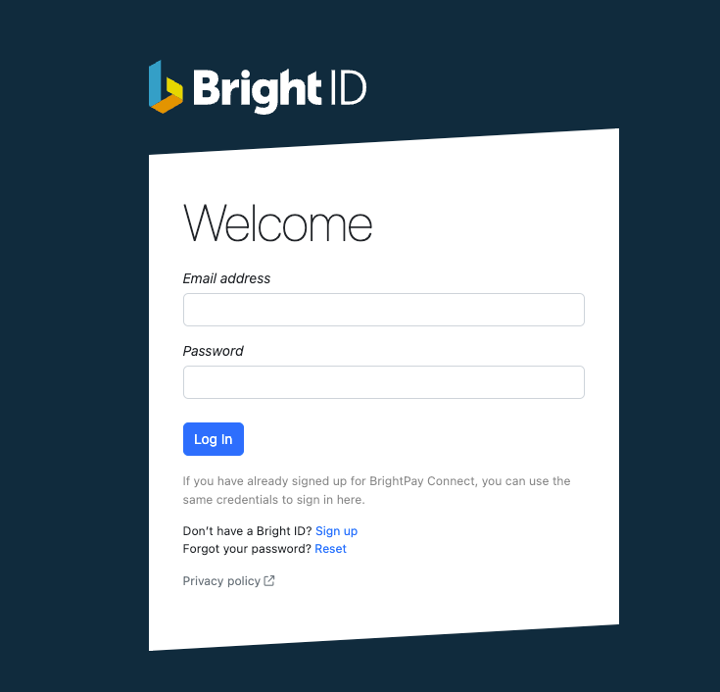
- Click on the Rest option here beside Forgot your Password?
- Enter the email address associated with your BrightPay Cloud (BrightID) account.
- Check your email inbox (and also your spam or junk folders) for a password reset email from BrightPay.
- Follow the instructions in the email to set a new password.
If you do not receive the reset email, make sure you are using the correct email address linked to your BrightPay Cloud account and check your spam/junk folders.
If you still have issues, try clearing your browser cache and cookies, or use a different browser to access the login page.
If you continue to experience problems, you may need to contact BrightPay support for further assistance. For more details, you can refer to the troubleshooting steps here: https://payrollsupport.uk.brightsg.com/hc/en-gb/articles/36574870565521-Password-Reset-Process-for-BrightPay-Users and https://payrollsupport.uk.brightsg.com/hc/en-gb/articles/36579611705105-Troubleshooting-Login-Issues
Comments
0 comments
Article is closed for comments.